
Access and orders
Your photos, from the gallery to delivery
Open your child’s private gallery, choose your photos, and find what you need to know about access codes, payment, downloads and delivery.
Step-by-step guide
Ordering your photos, step by step
Your access code is personal. Keep it somewhere safe and avoid posting it on social media.
Video tutorial
Ordering on a computer
LENGTH : 3 MIN 16The full journey, screen by screen, on a demonstration gallery with made-up names. The KebecPhoto interface may change slightly, so some labels may differ.
Video tutorial
Ordering on a phone
LENGTH : 3 MIN 23The same journey, filmed on a phone. The screens come from a demonstration gallery with made-up names; the KebecPhoto interface may change slightly.
Open the gallery

1Start from the access card
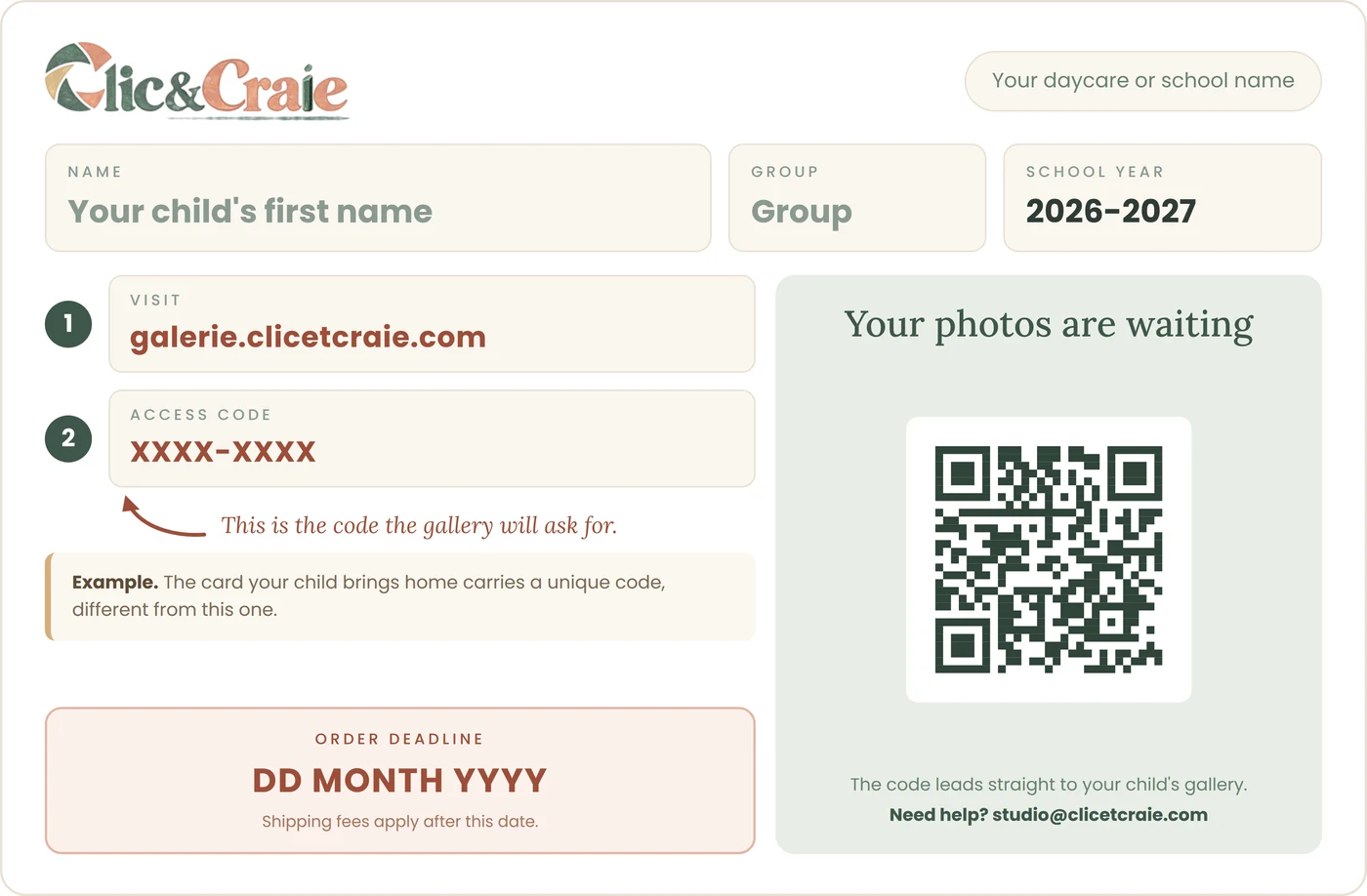
Your child brings home a card with a QR code and an eight-character access code. Scan the QR code with your phone’s camera, or type galerie.clicetcraie.com into your browser.
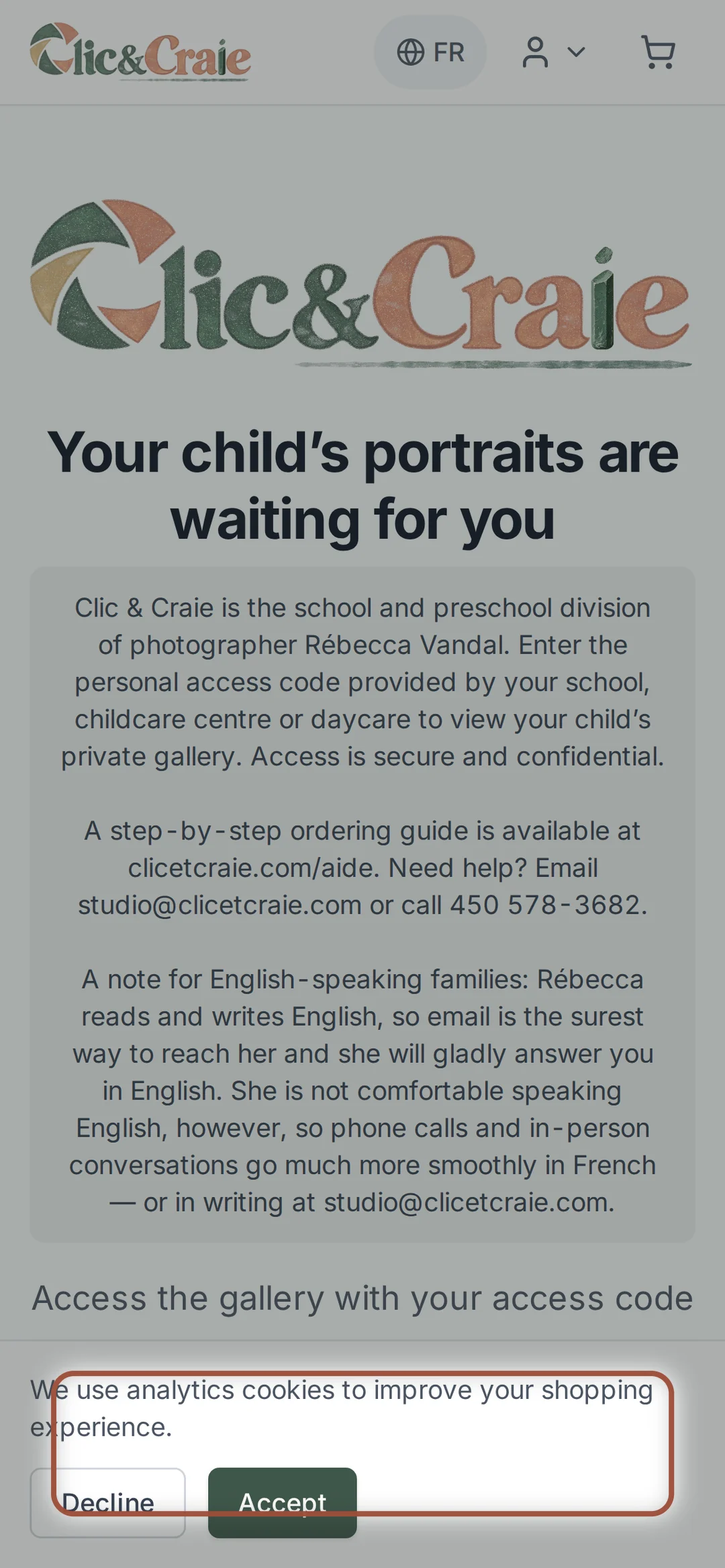
2Enter the access code
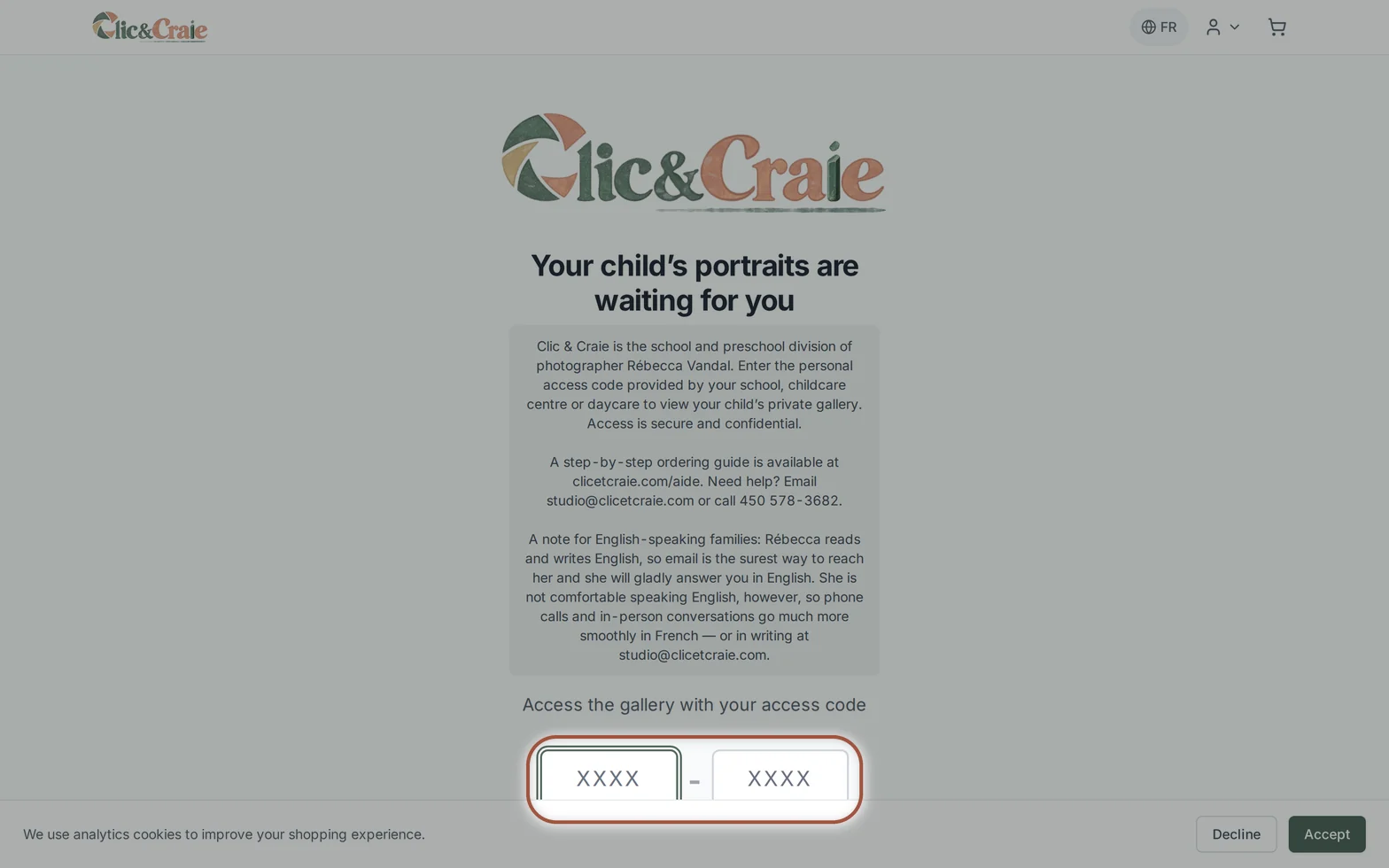
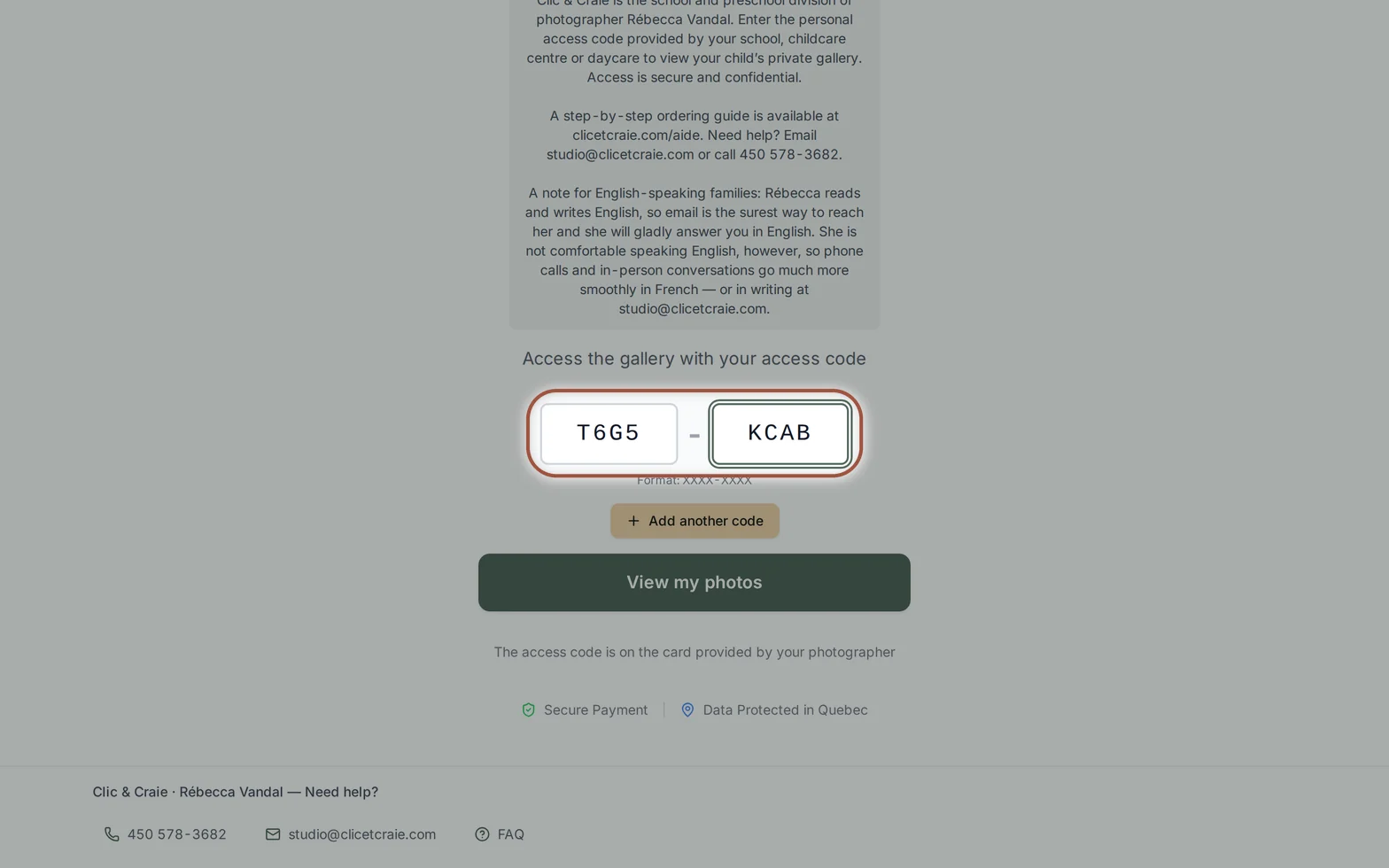
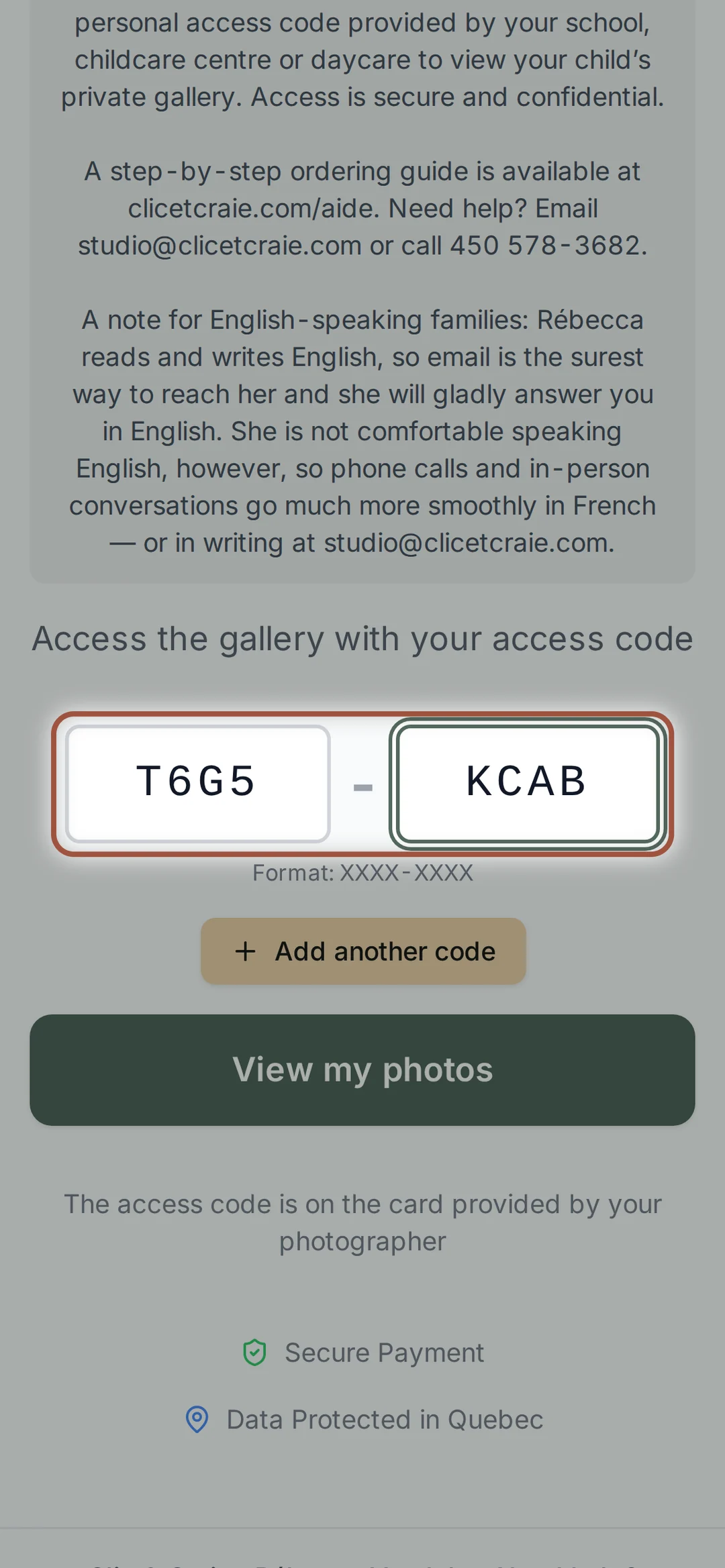
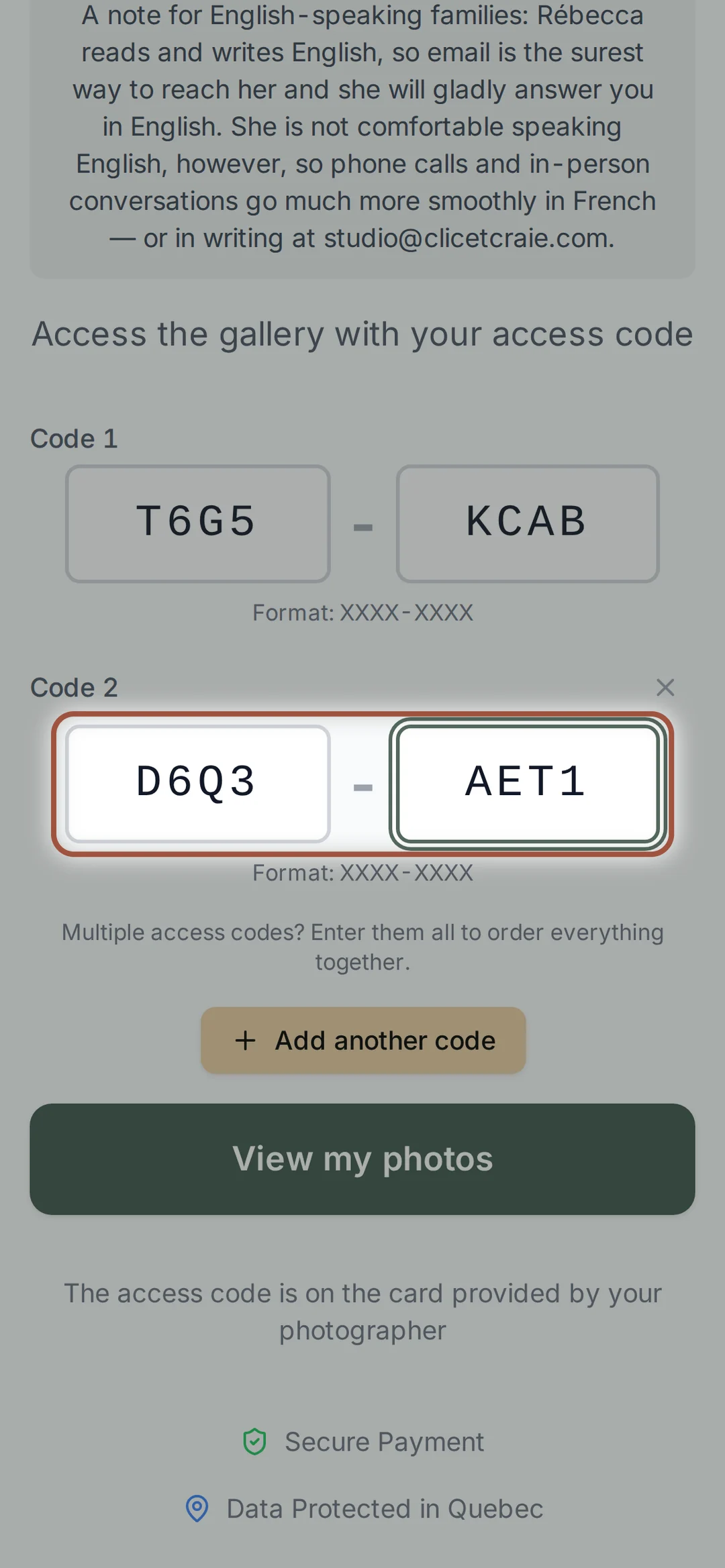
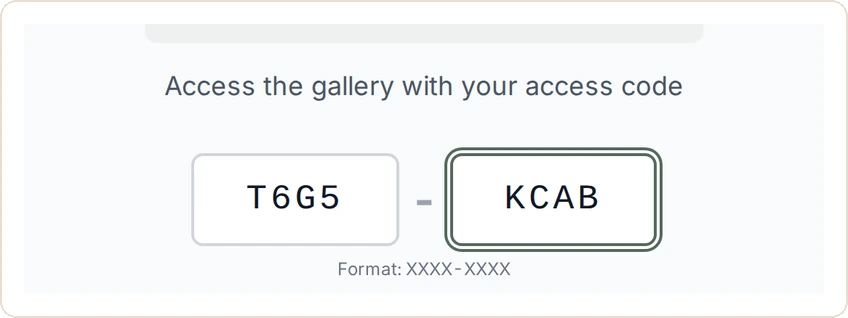
Two small boxes are waiting for your code, four characters on each side. The hyphen appears on its own. Then choose View my photos.
3Two children? Both codes
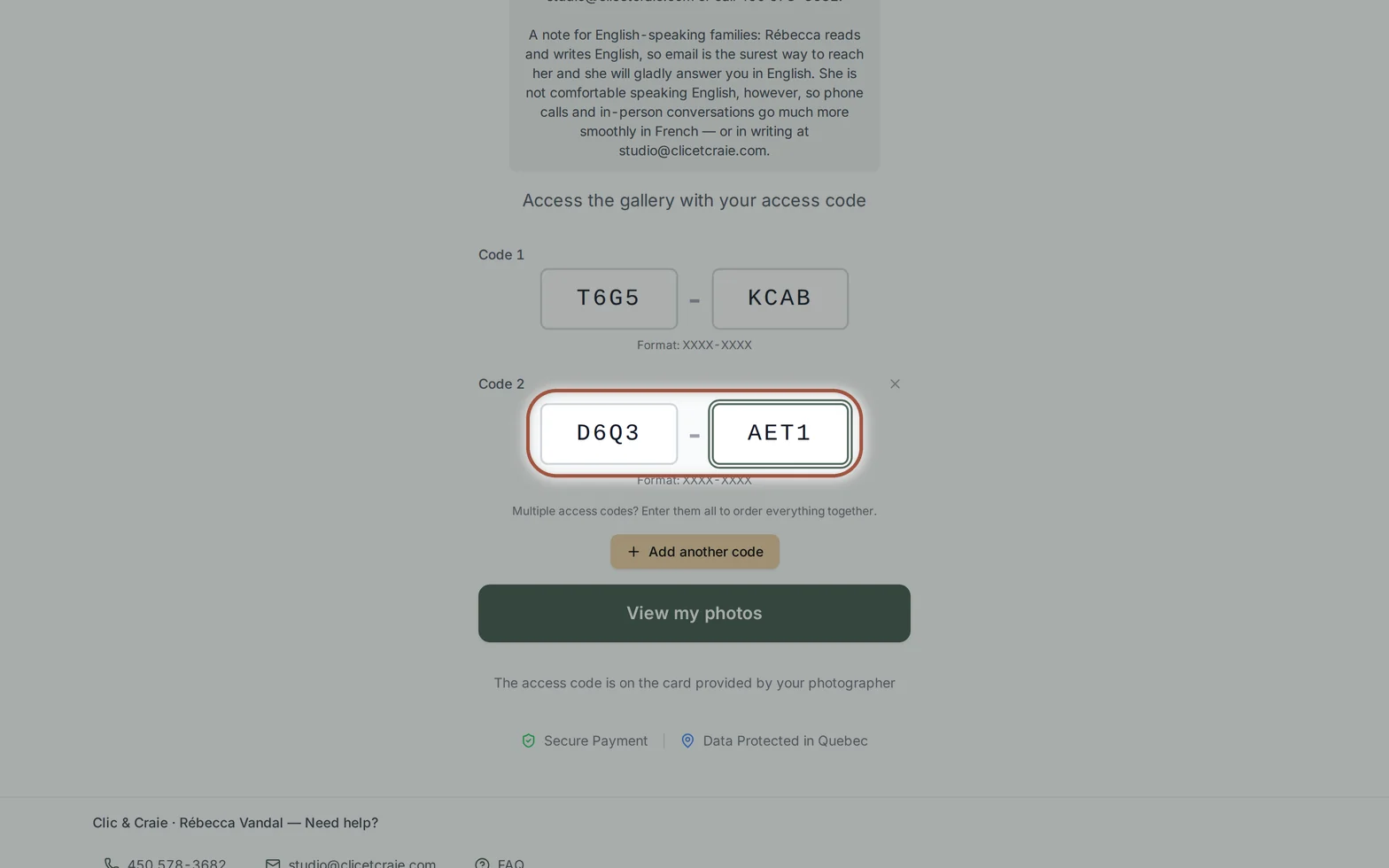
Below the first box, Add another code opens a second one. Both children’s photos end up in the same gallery and the same cart — and the sibling packages only appear once both codes are in. You can also add the second code later, from the gallery, with Add a child.
4Introduce yourself the first time
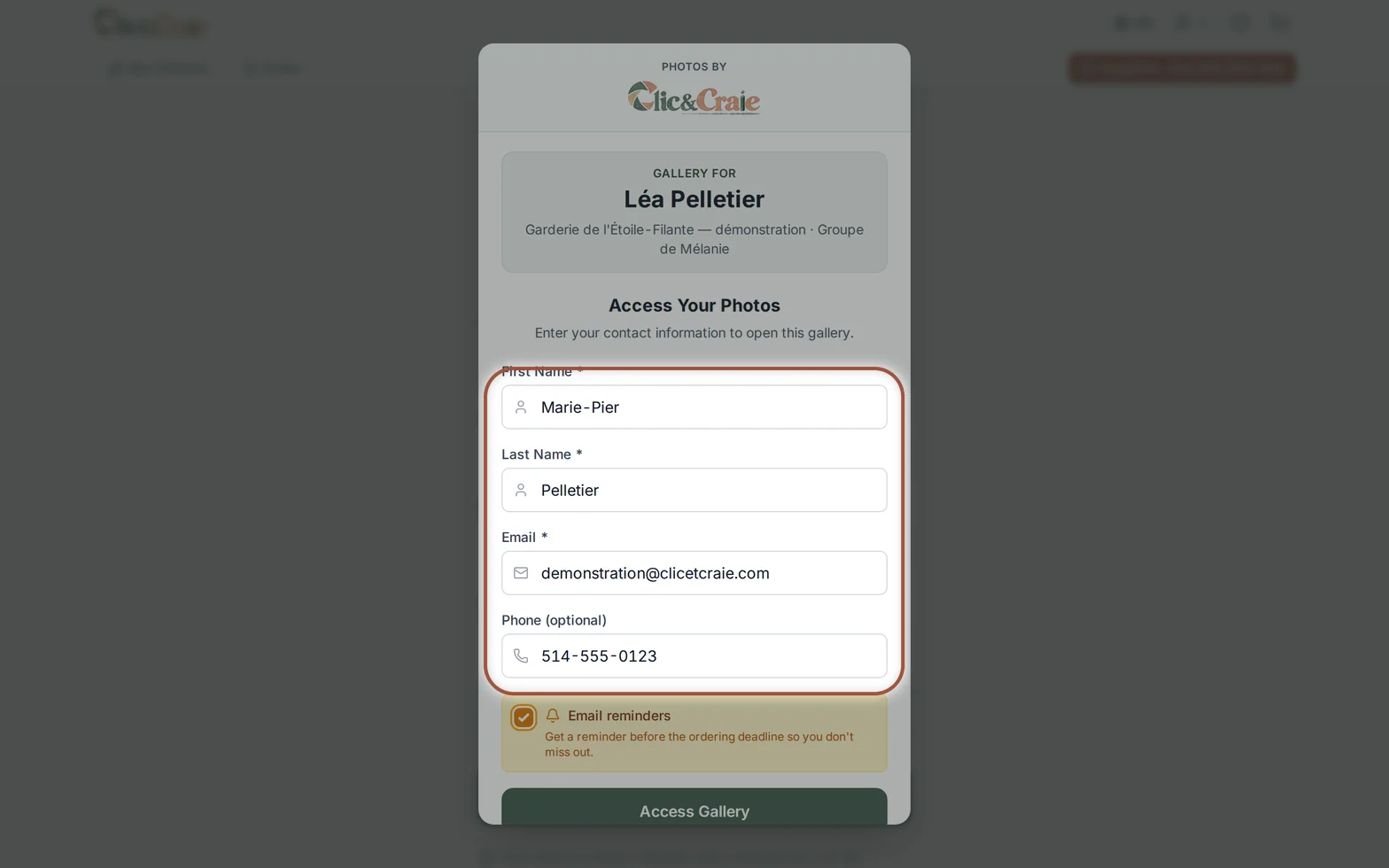
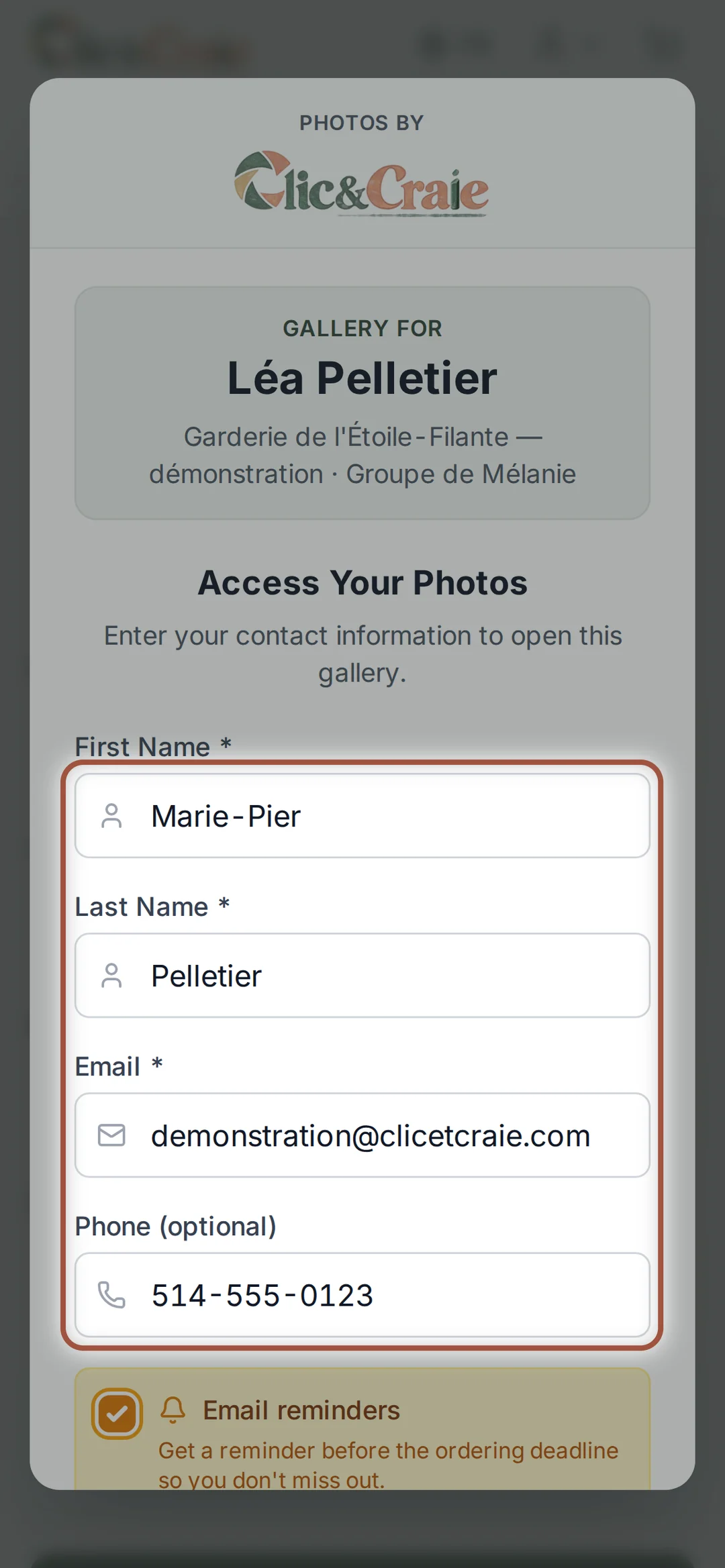
The gallery asks for your first name, last name and email. Every visit is logged, so it is always known who opened your child’s gallery — and that is what ties your order back to you. The phone number is optional. The Email reminders box warns you before the deadline.
Look at the photos
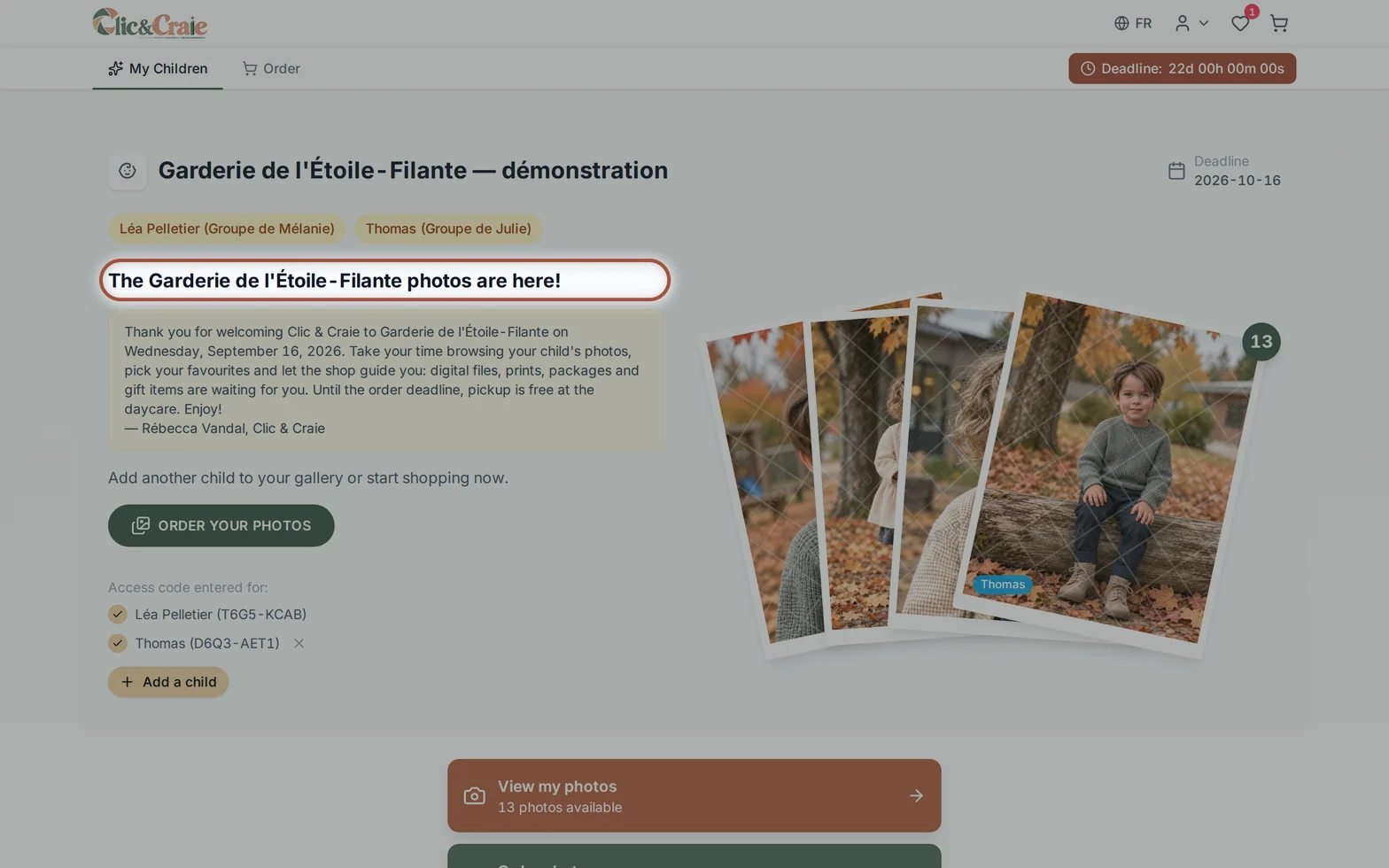
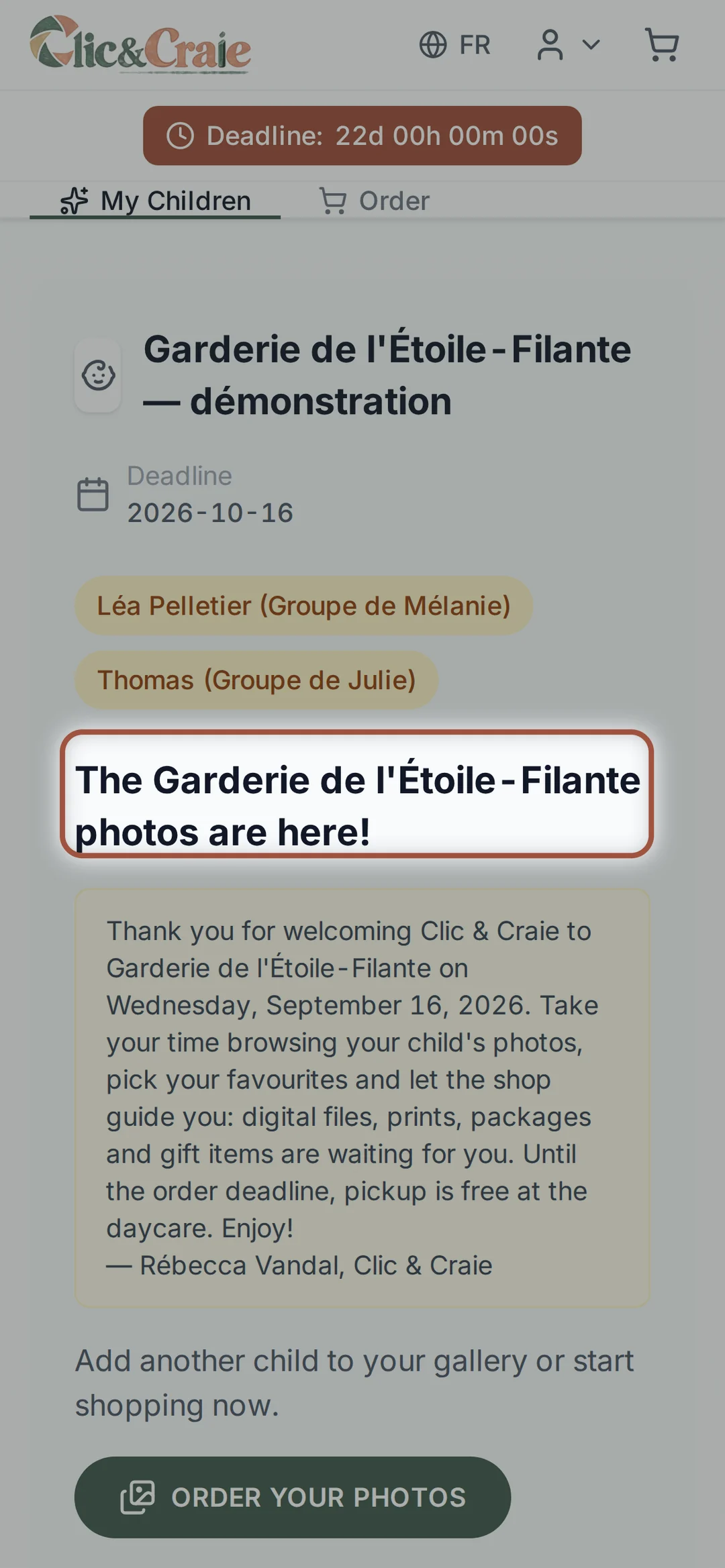
5The gallery home page
Your children’s names, their group, the photographer’s note, the deadline and the number of photos. The gallery is open with no obligation to buy: you can simply look.
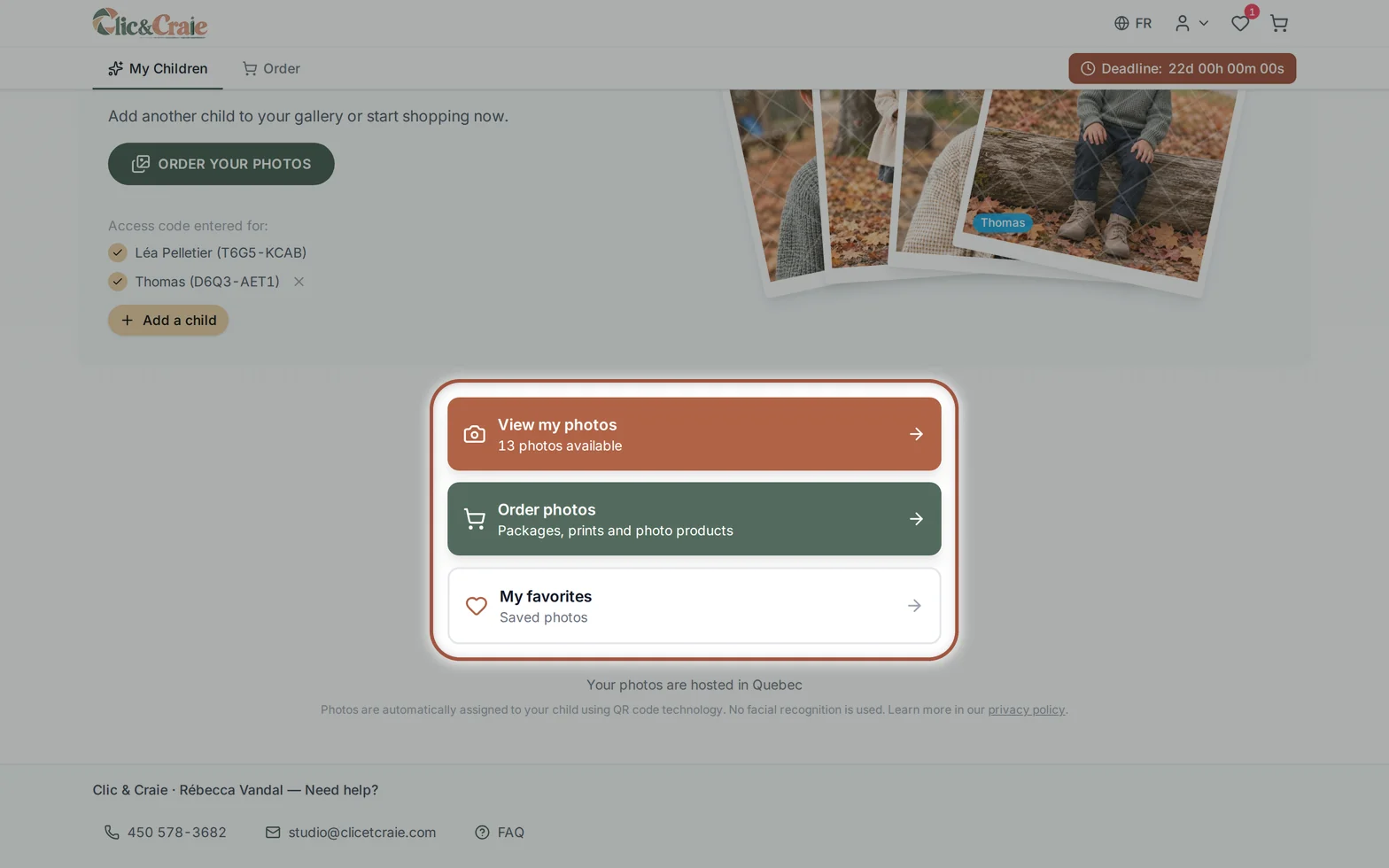
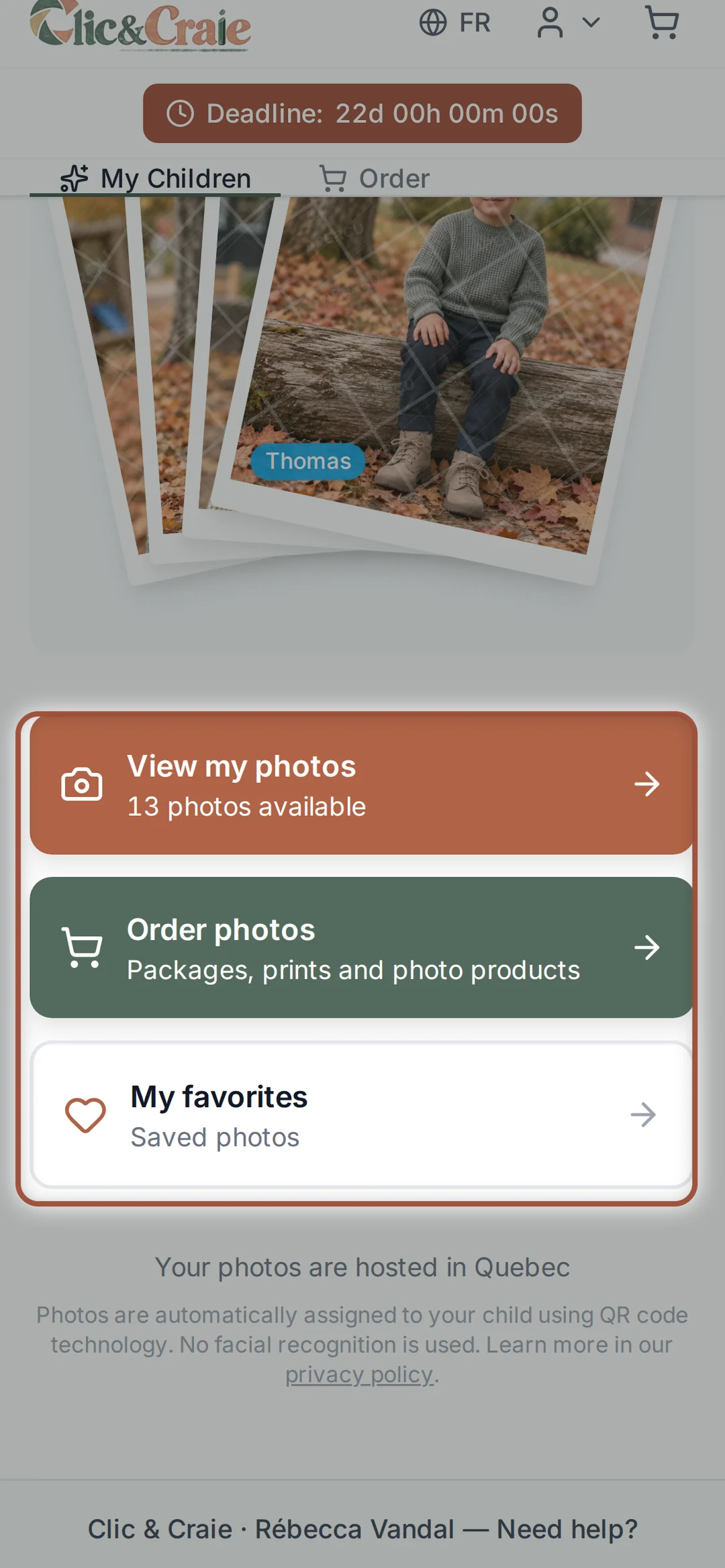
6Three paths
View my photos opens the viewer. Order photos goes straight to the shop. My favourites finds the ones you set aside.
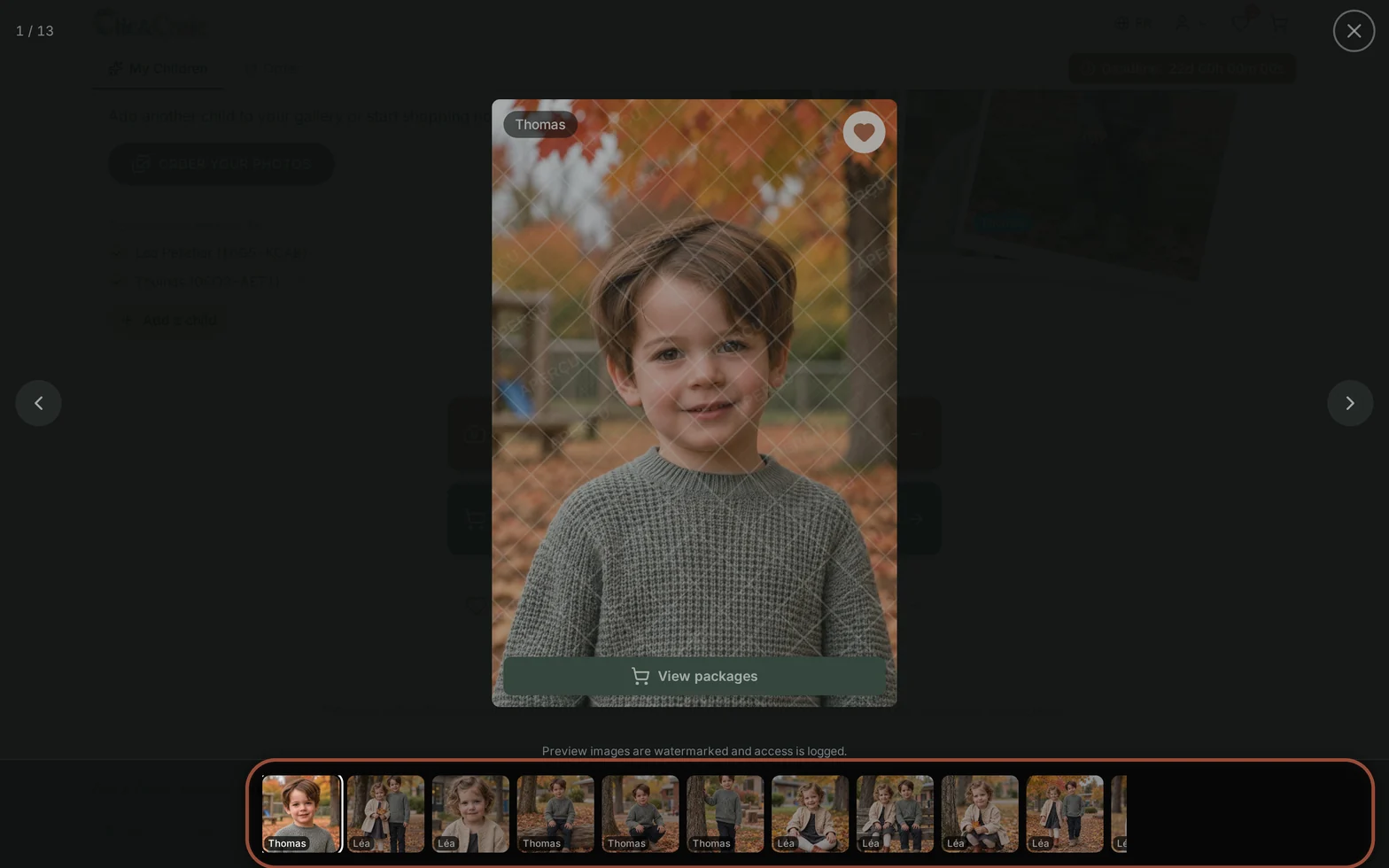
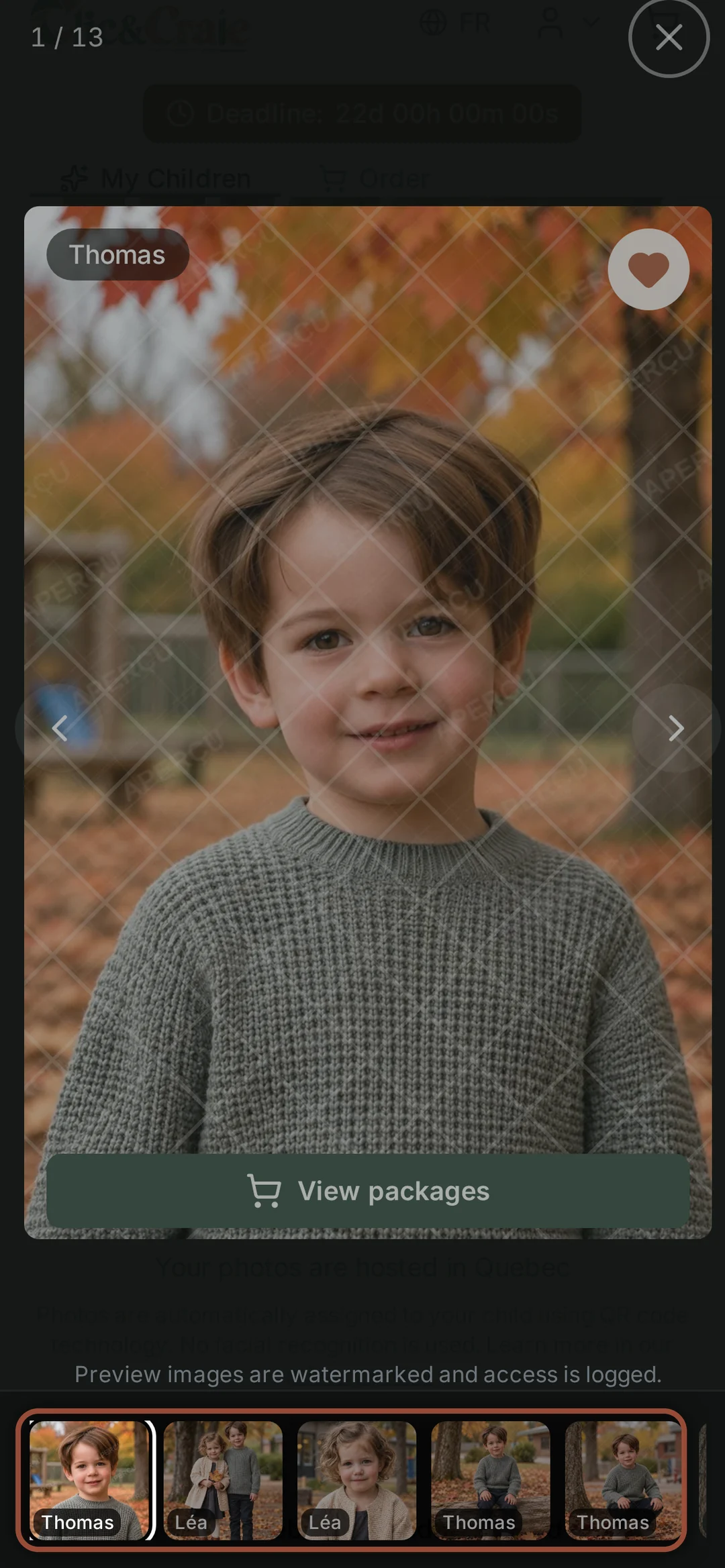
7The viewer
Photos show large, with thumbnails along the bottom and an arrow on each side. The badge tells you whose photo it is when two children are registered.
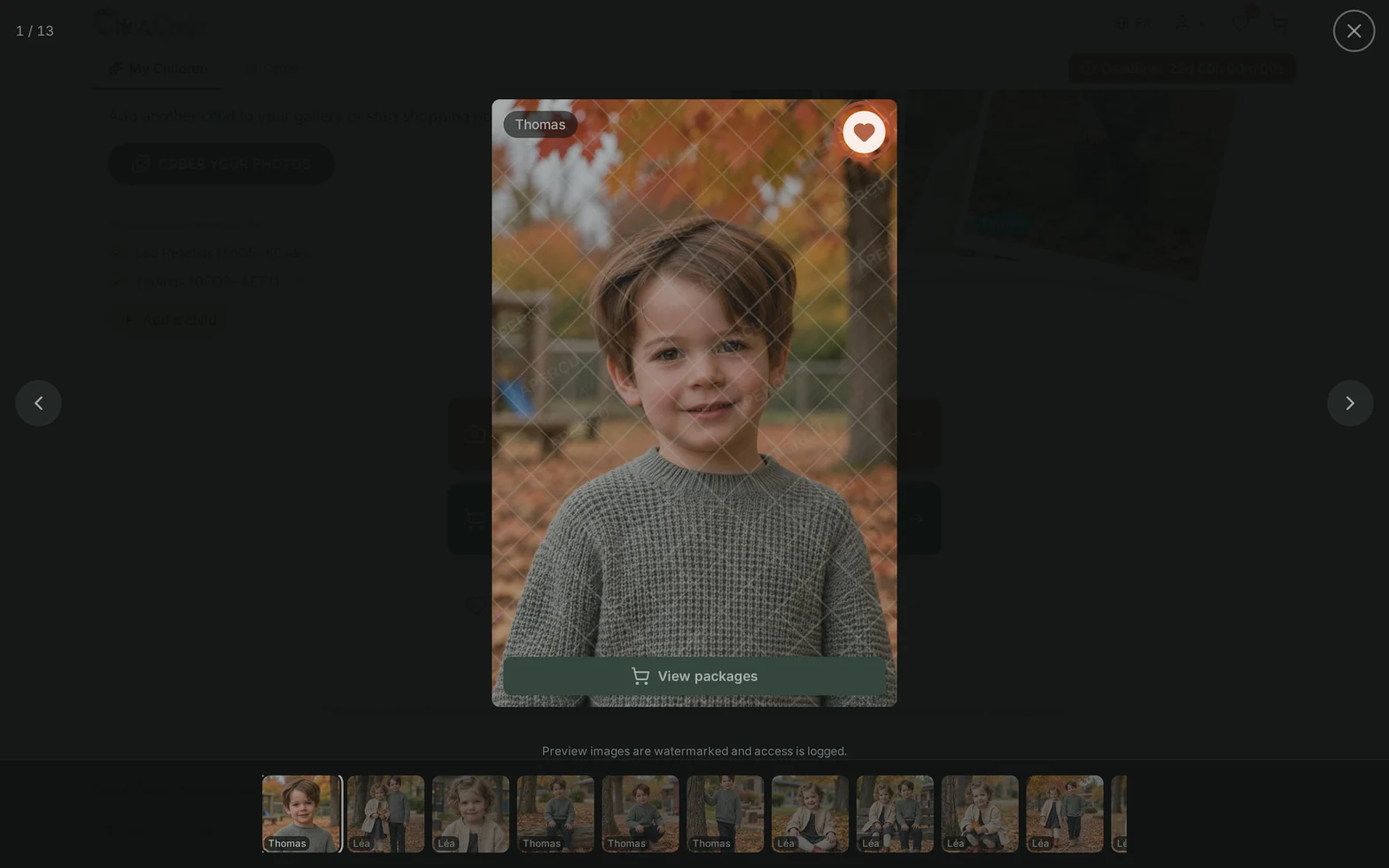
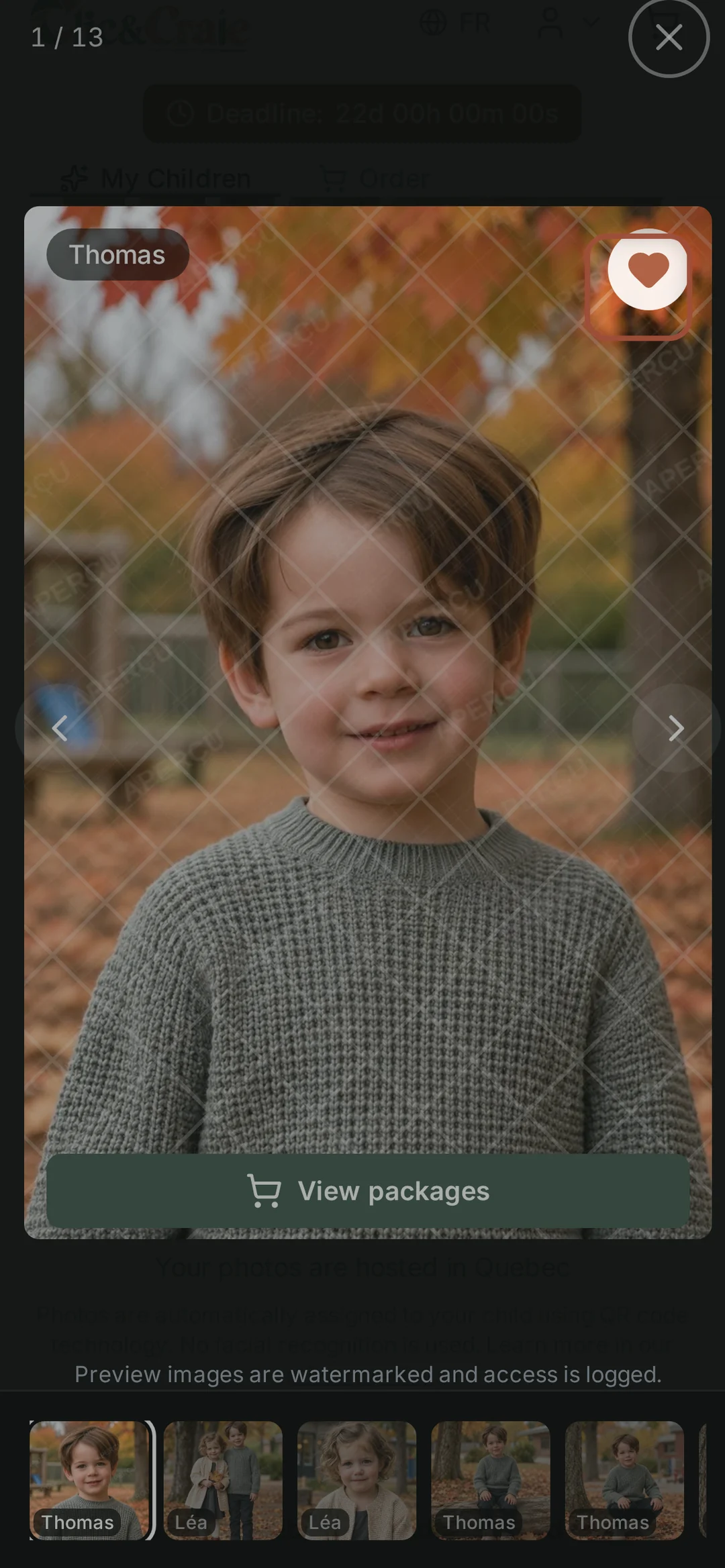
8Add favourites
The little heart sets a photo aside. Nothing is purchased: it is your own list, to find your favourites when the time comes to choose.
Choose what you want

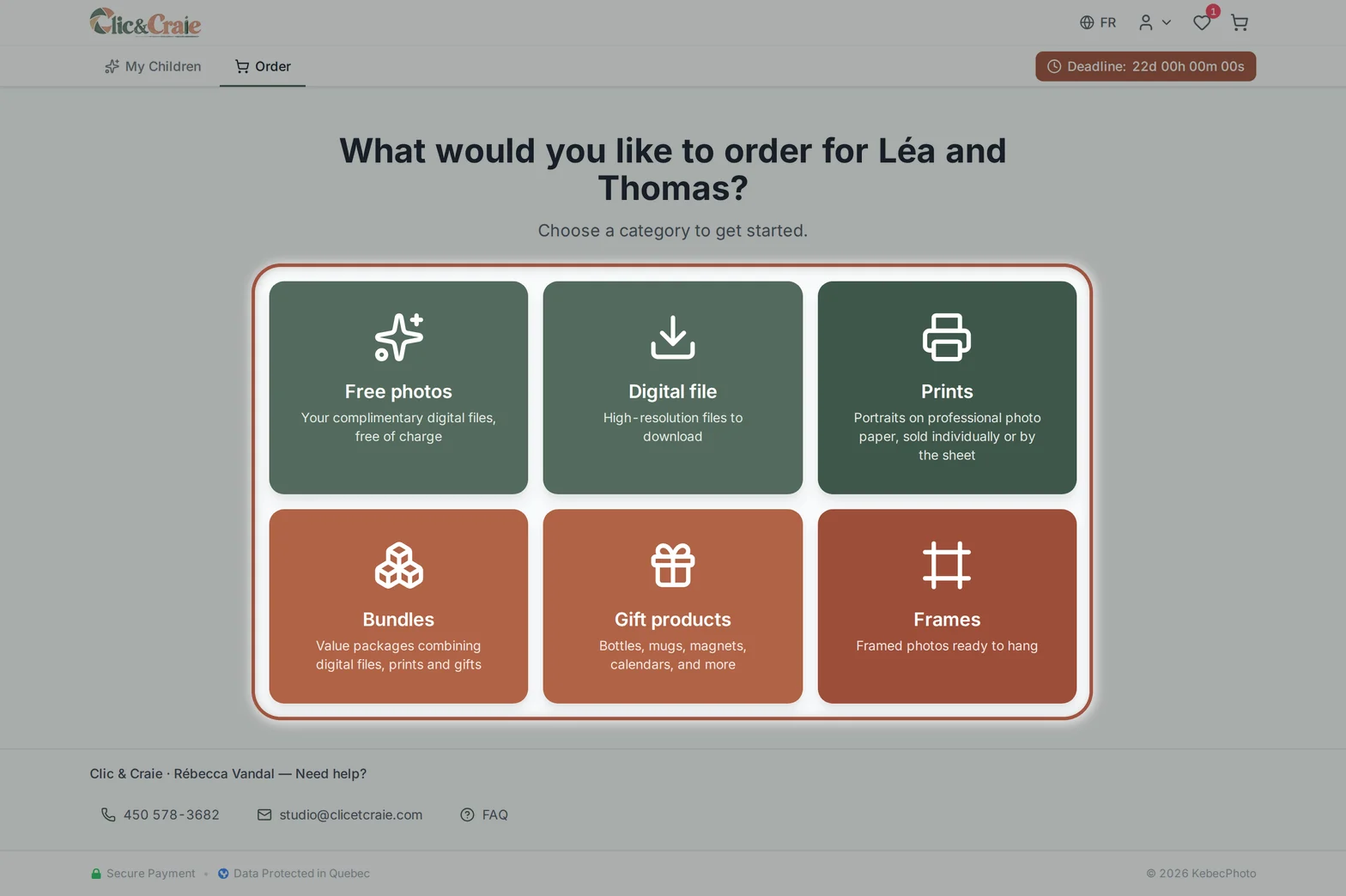
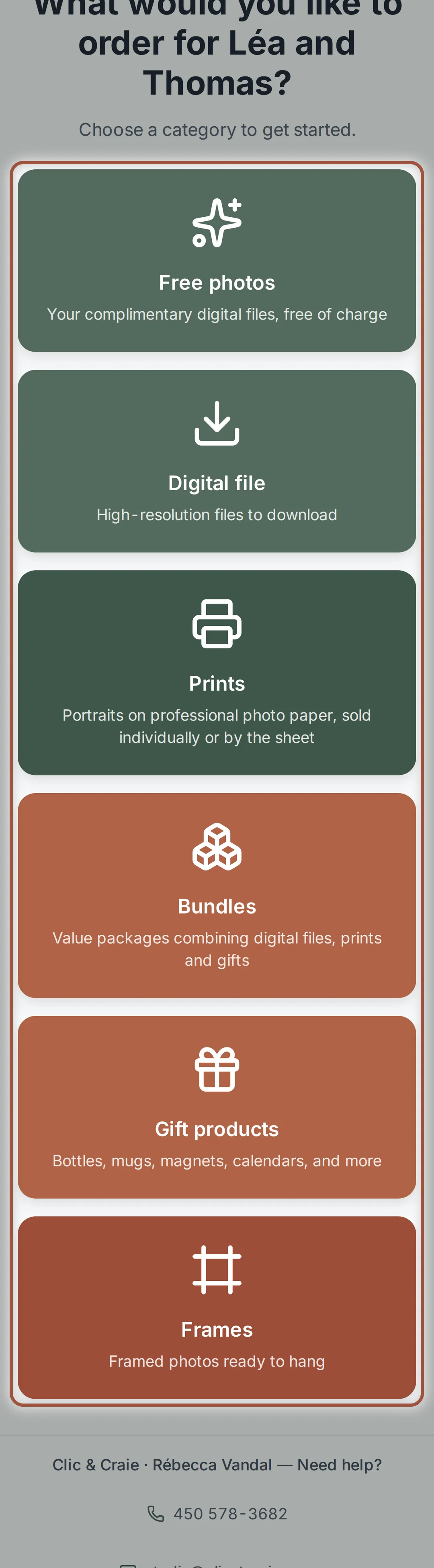
9Six doors
The Order tab asks what you want: Free photos, Digital file, Prints, Packages, Gift products or Frames. You can open several in the same order and go back as often as you like.
10The free photos
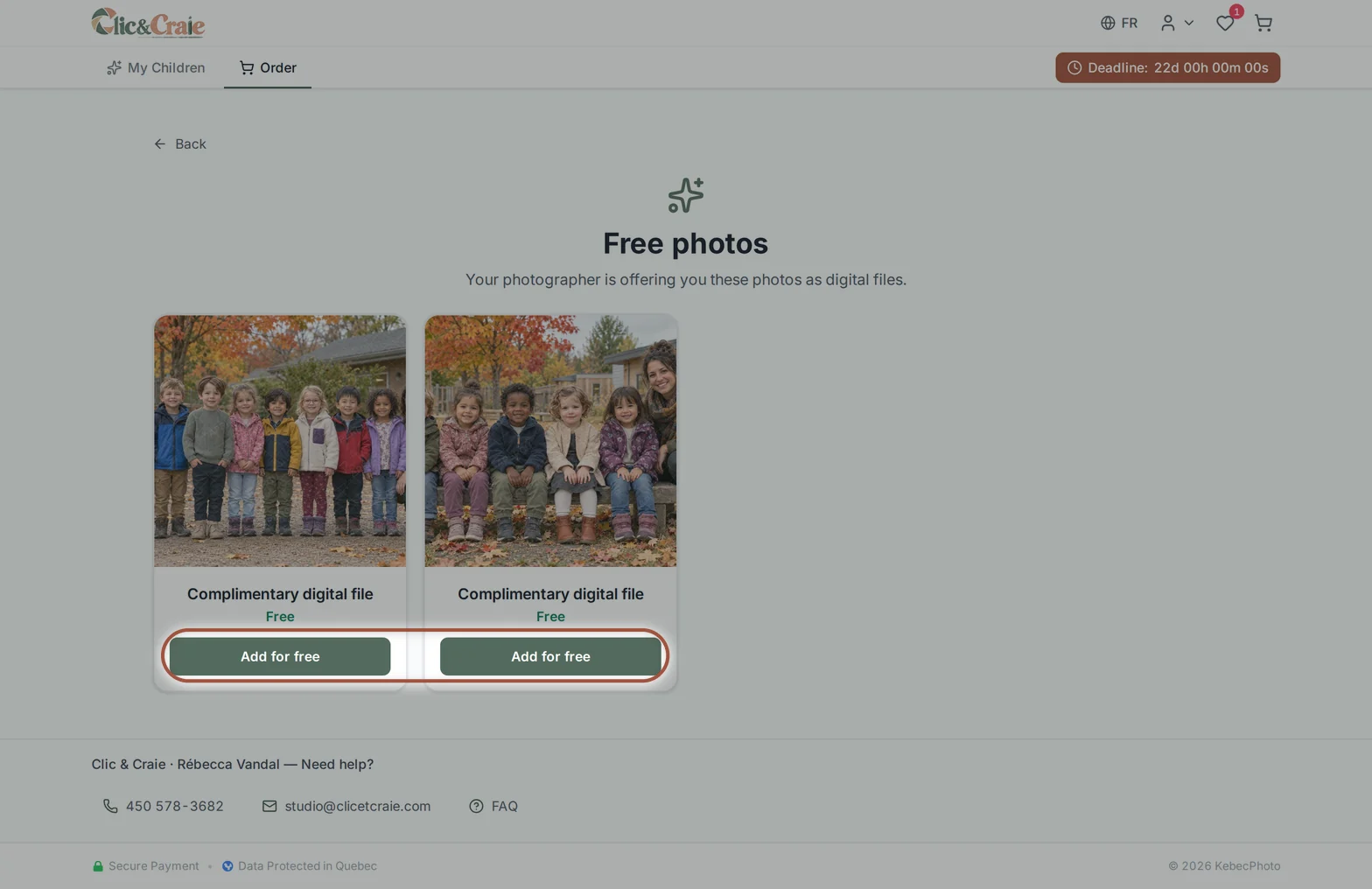
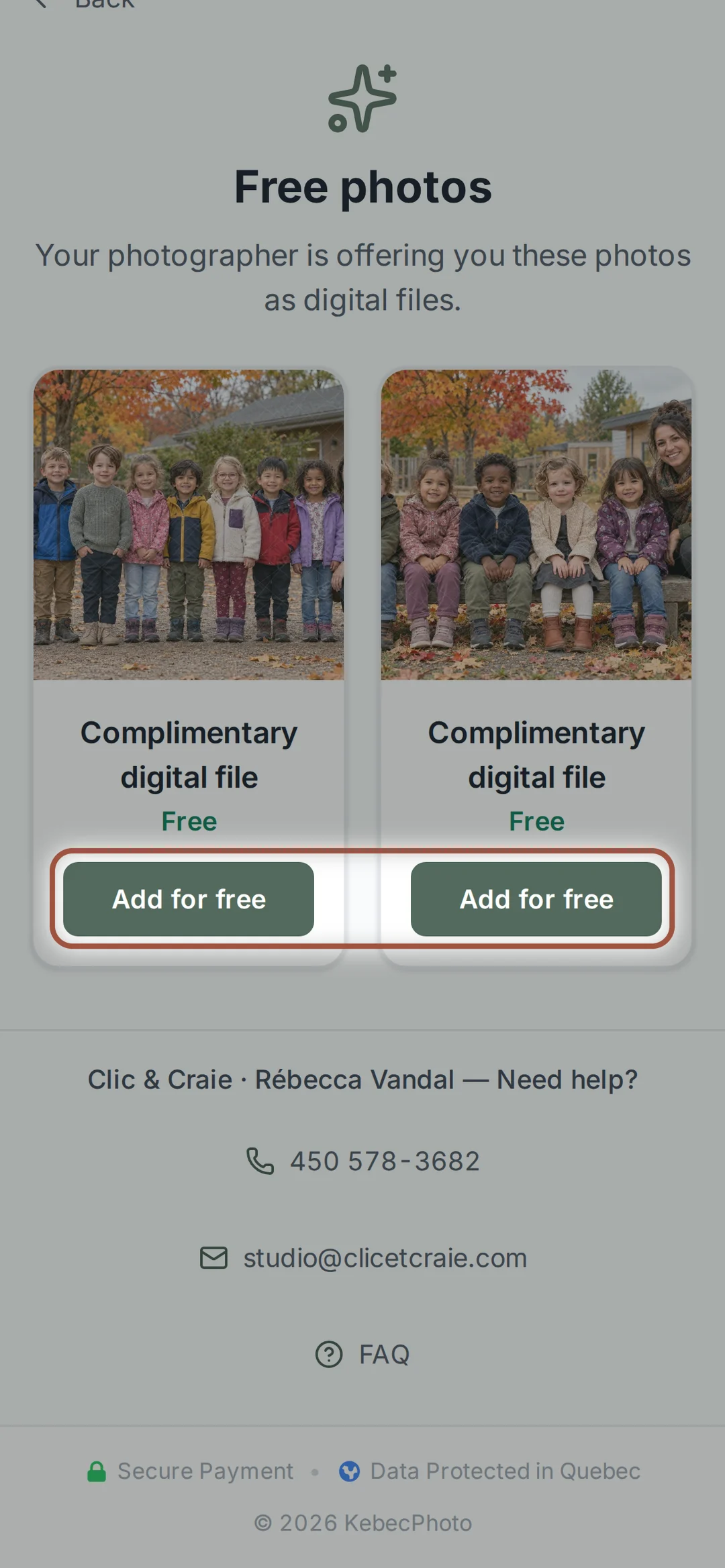
Your child’s group photo is offered to you as a digital file. If you have two children in two groups, there are two. Add for free, and it is done. You can leave with those alone, without buying anything else: go to the cart and complete the order at $0. You will also see it among your child’s photos, and in the print and product choices. It does not appear among the digital files for sale: its file is right here, free.
11Digital files
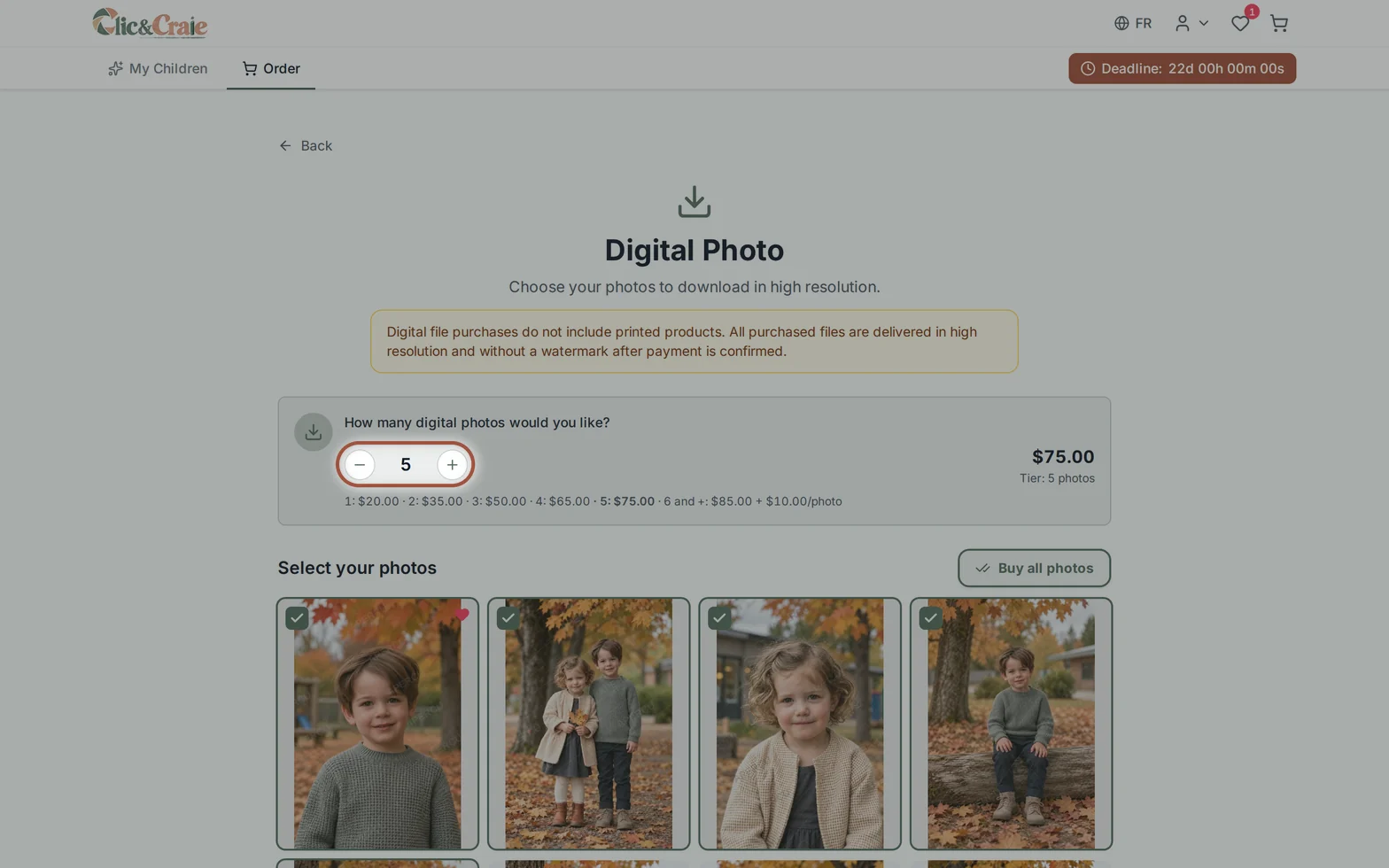
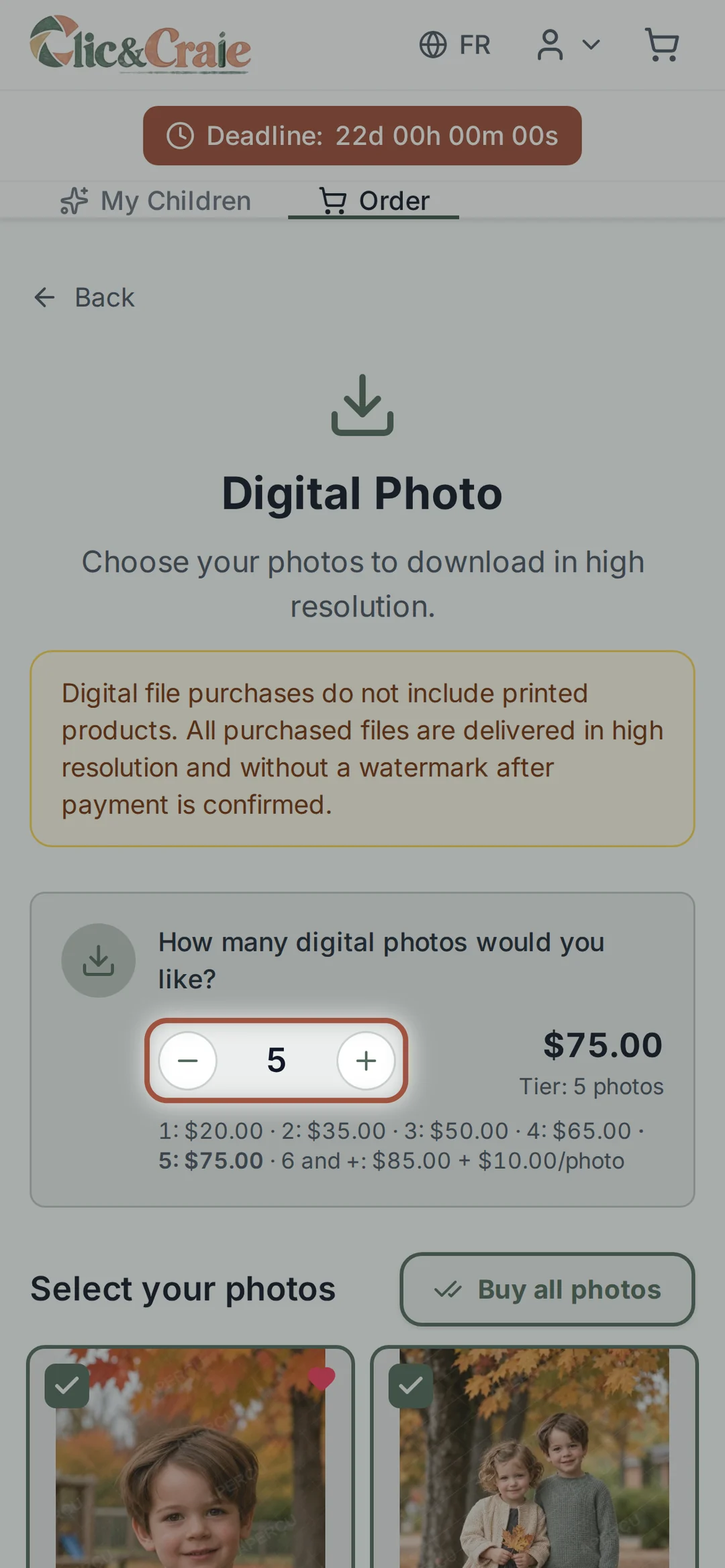
Say how many photos you want: the price drops as the number goes up. Then select your photos, or choose Buy all the photos. Purchased files are delivered in high resolution and without a watermark.
12Two ways to print
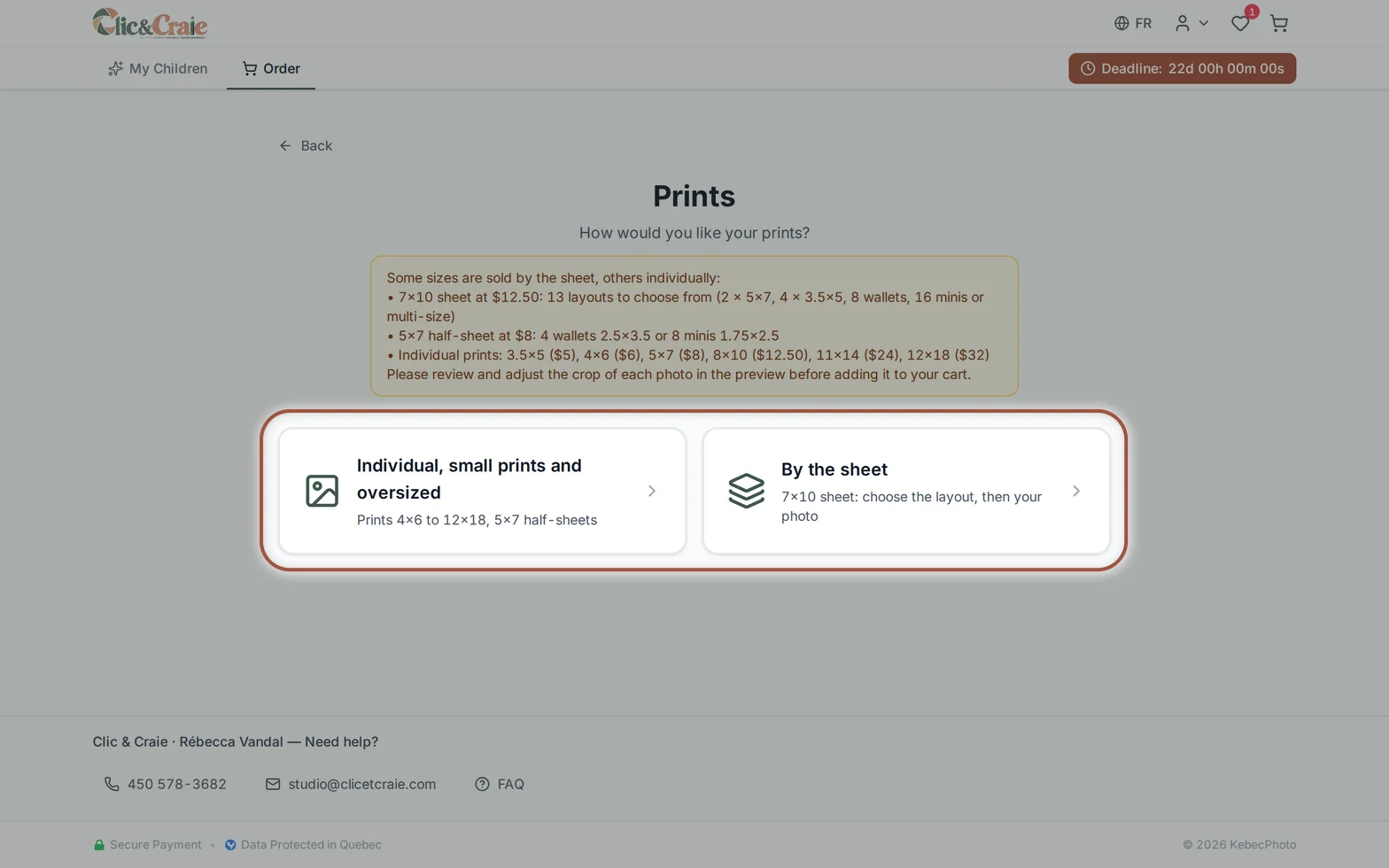
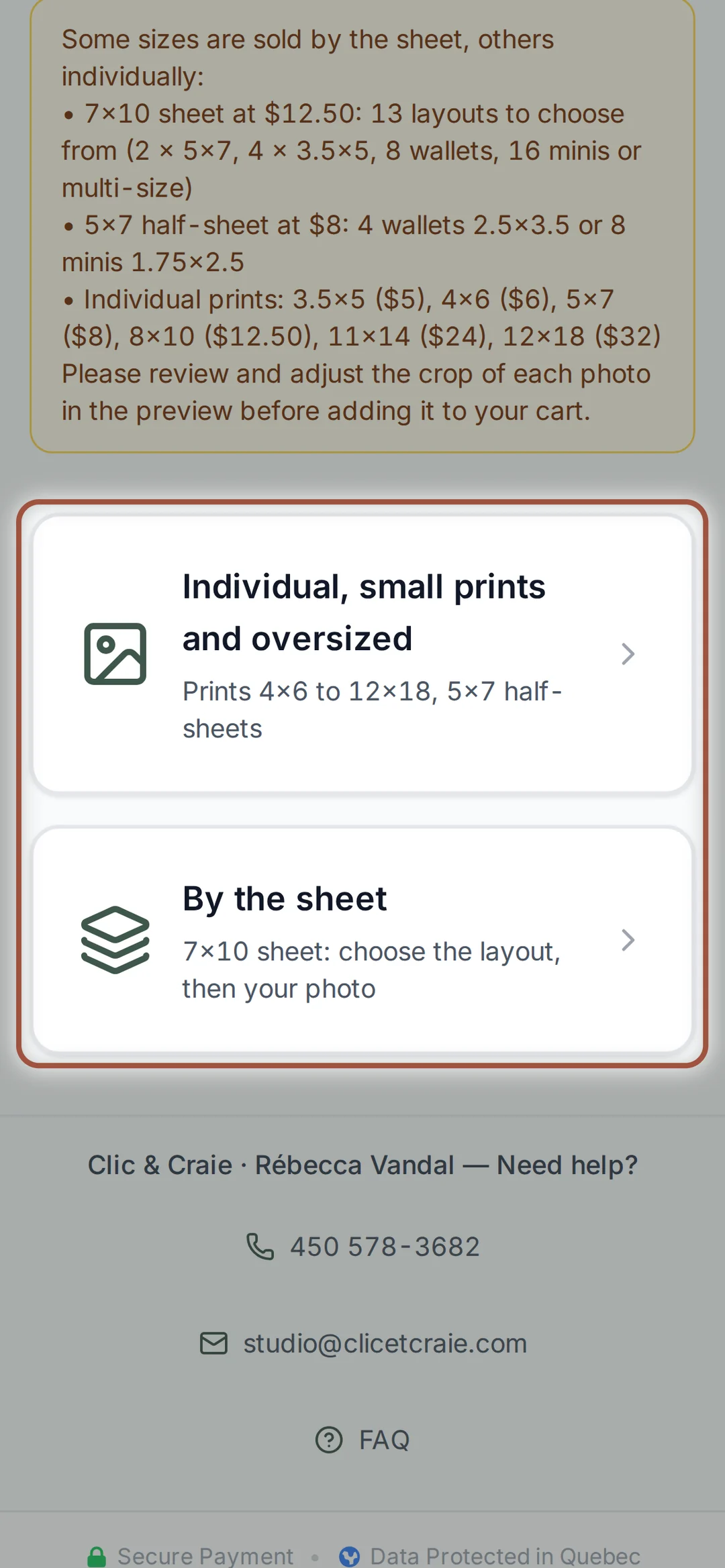
On the print side, two paths: by the unit or by the sheet. The box at the top sums up the sizes and prices of each.
13Prints by the unit
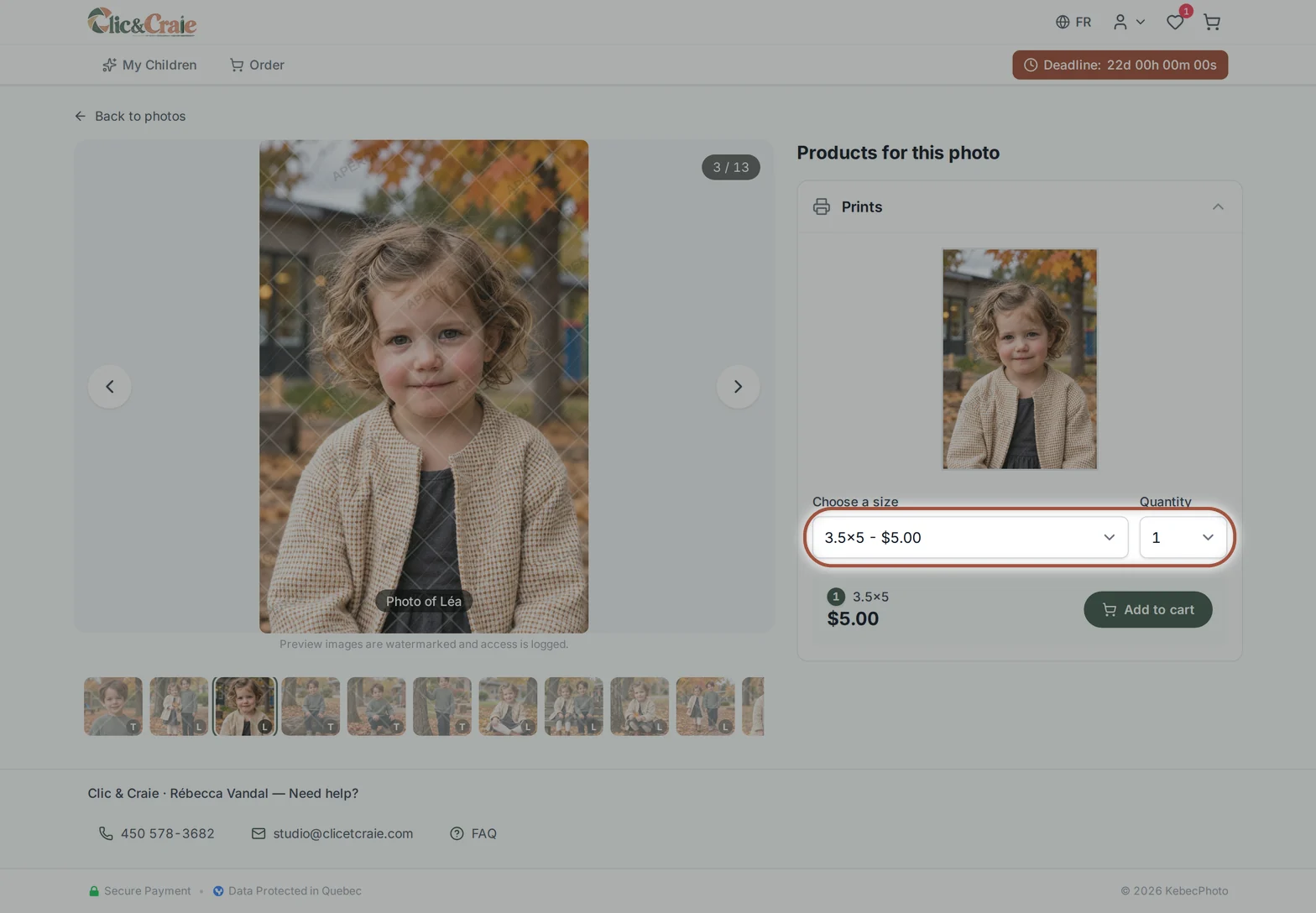
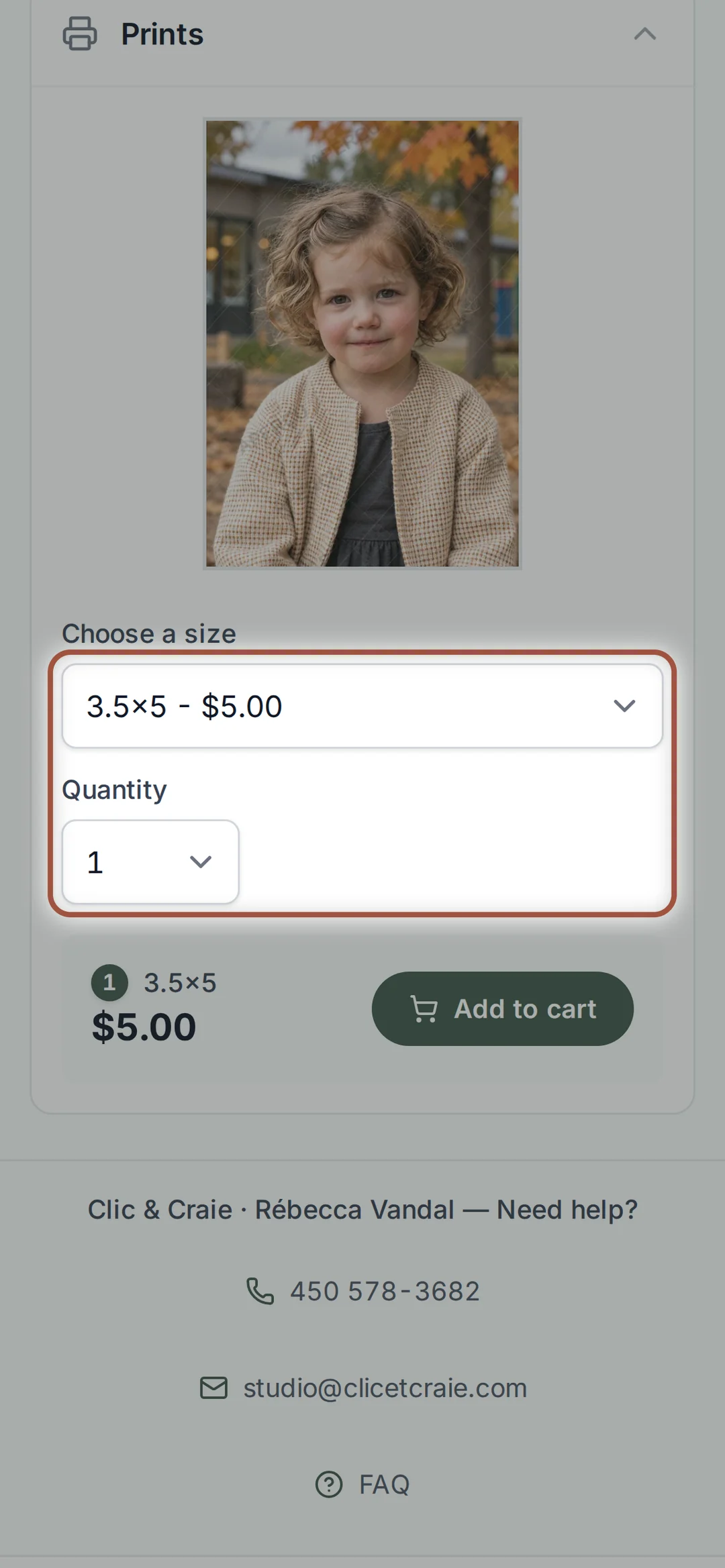
You choose the photo first, then the size from the drop-down list and the quantity. The price shows right beside it before you add to the cart.
14One photo or several
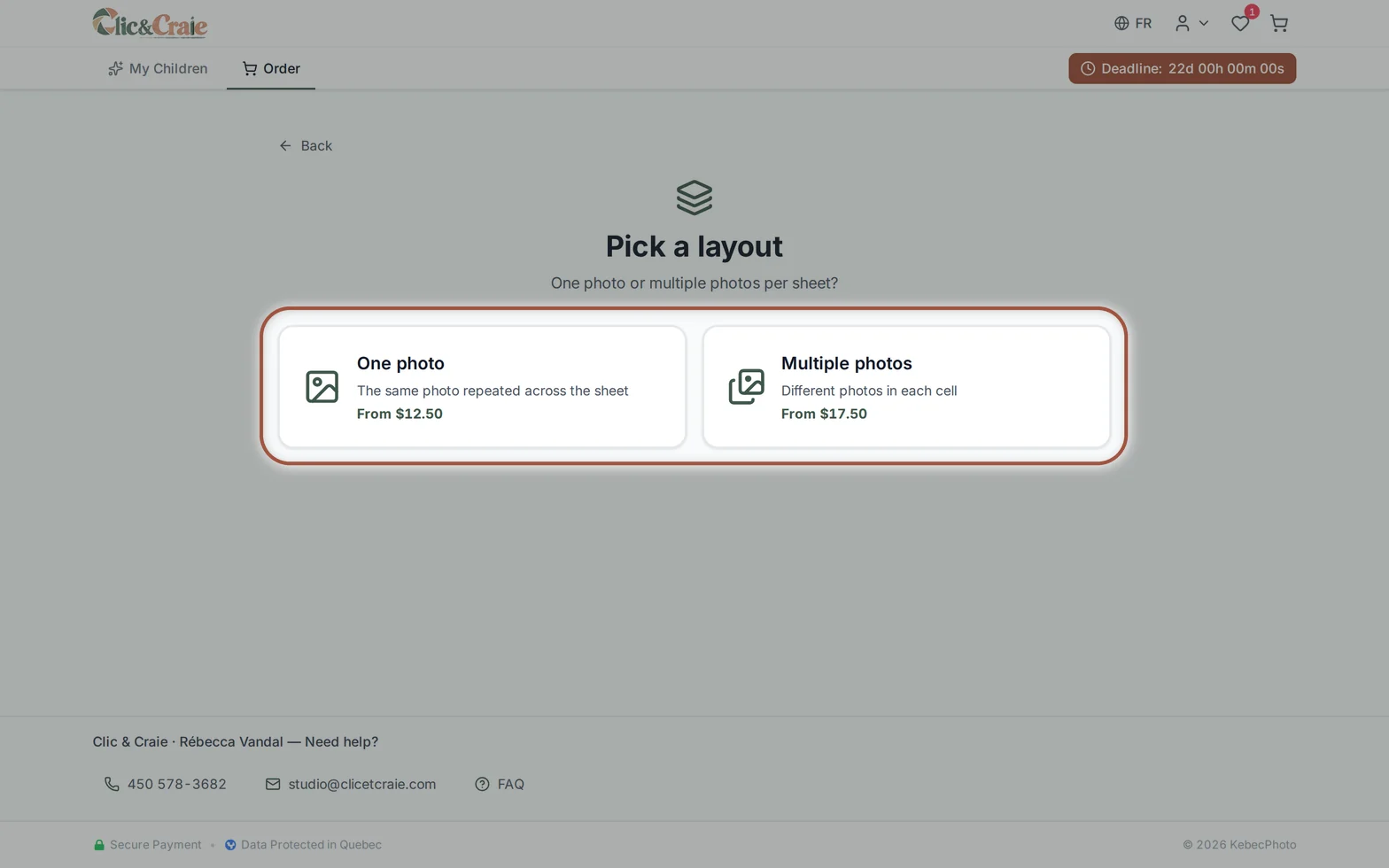
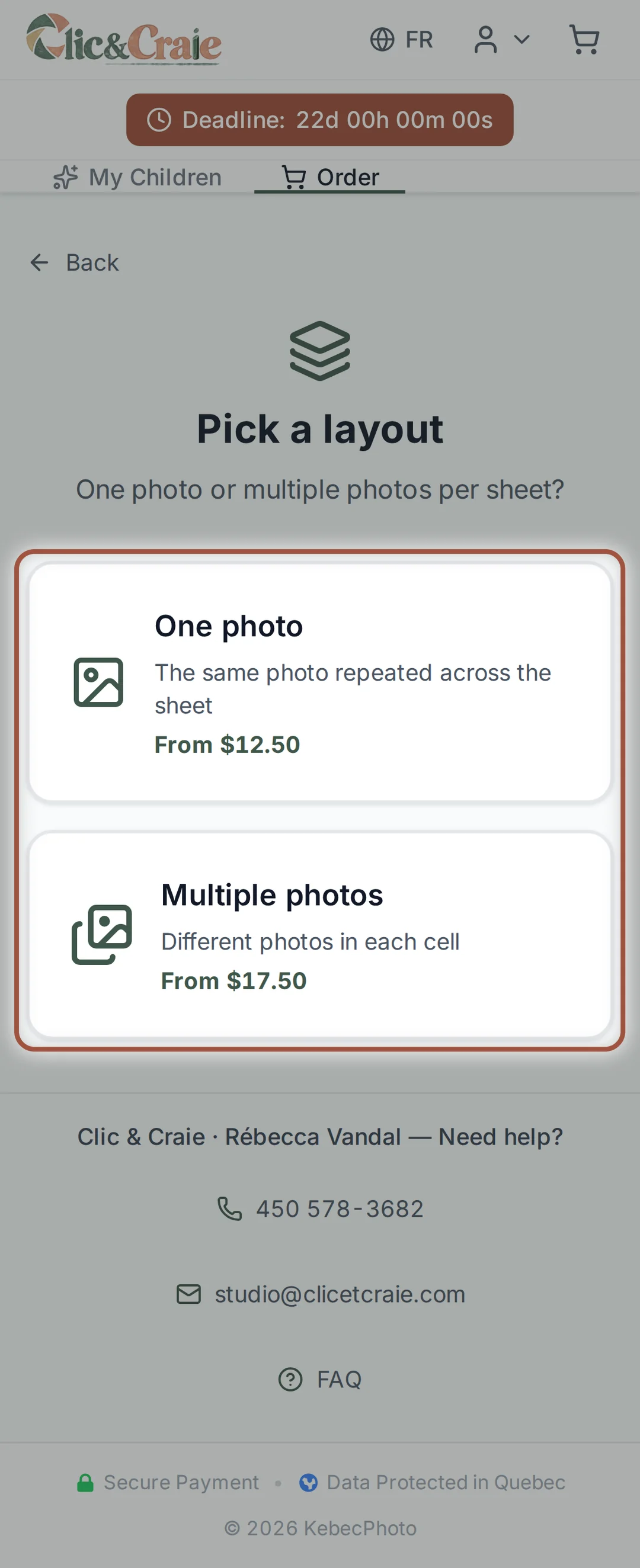
The same photo repeats the same portrait across the whole sheet. Several photos puts a different photo in each cell.
15One child per sheet, à la carte
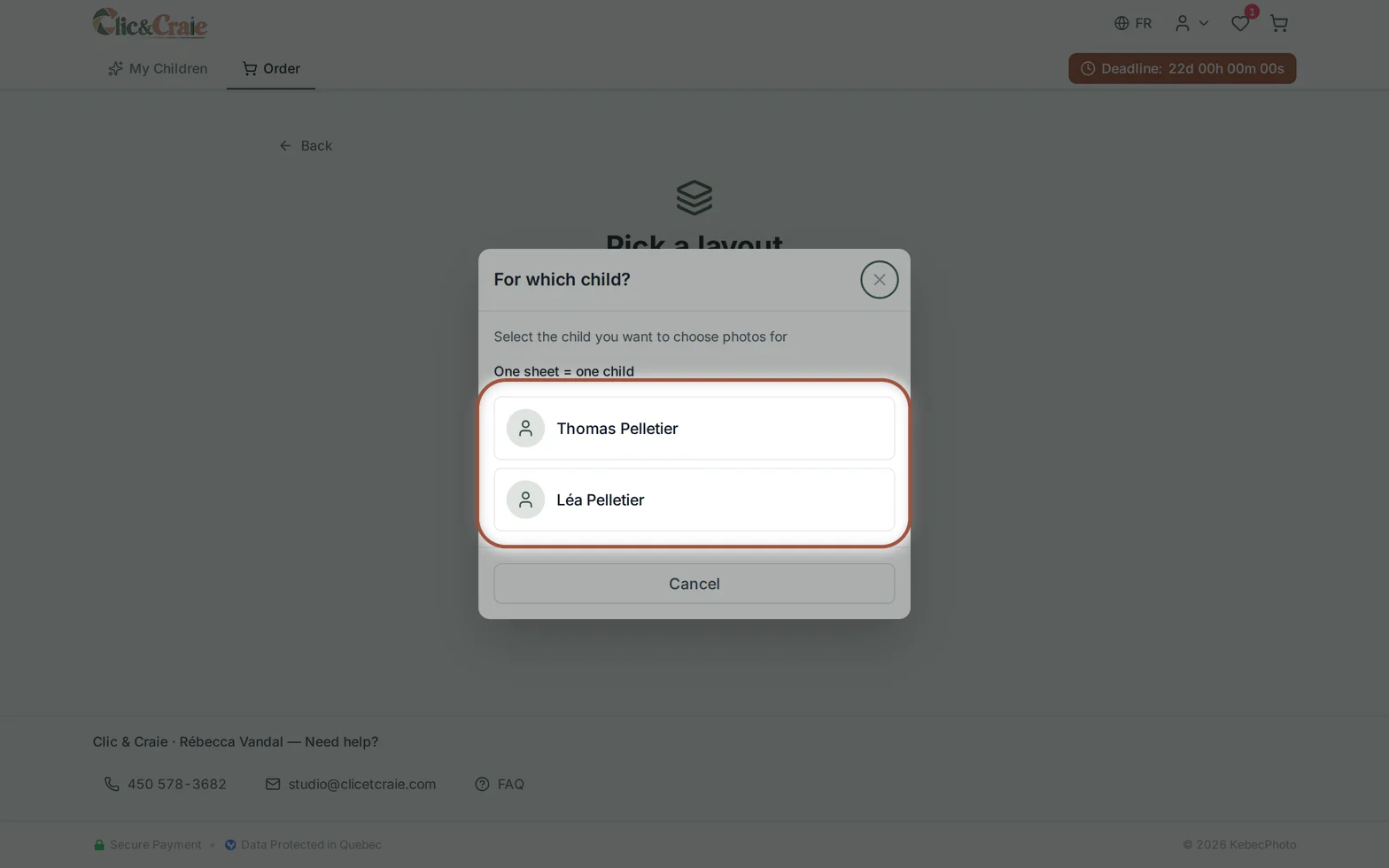
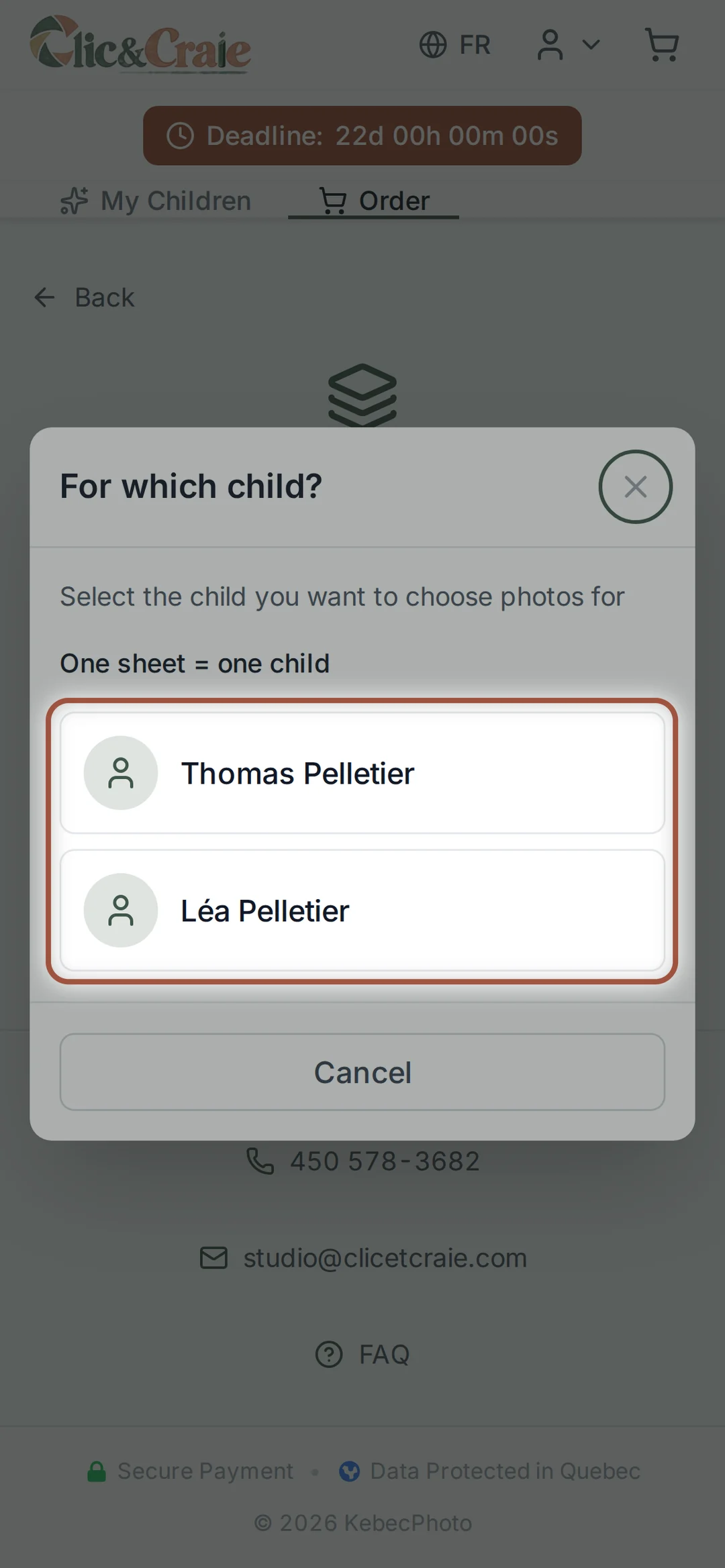
When you build a sheet yourself and two children are registered, the shop asks which one it is for: that sheet uses only their photos. You will make a second one for the other child. The sheets included in a sibling package, on the other hand, can bring both children together — see step 19.
16Thirteen layouts
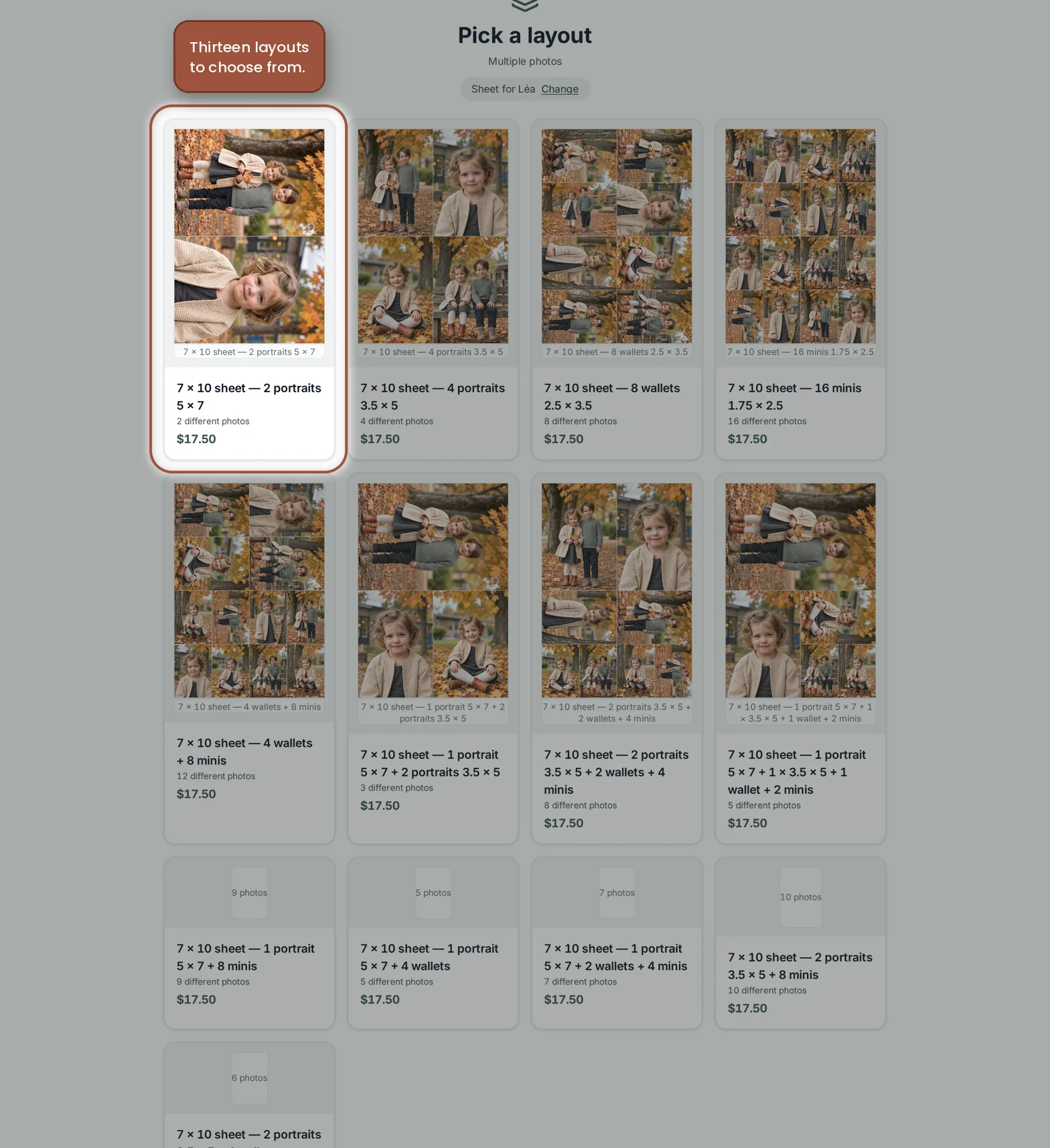
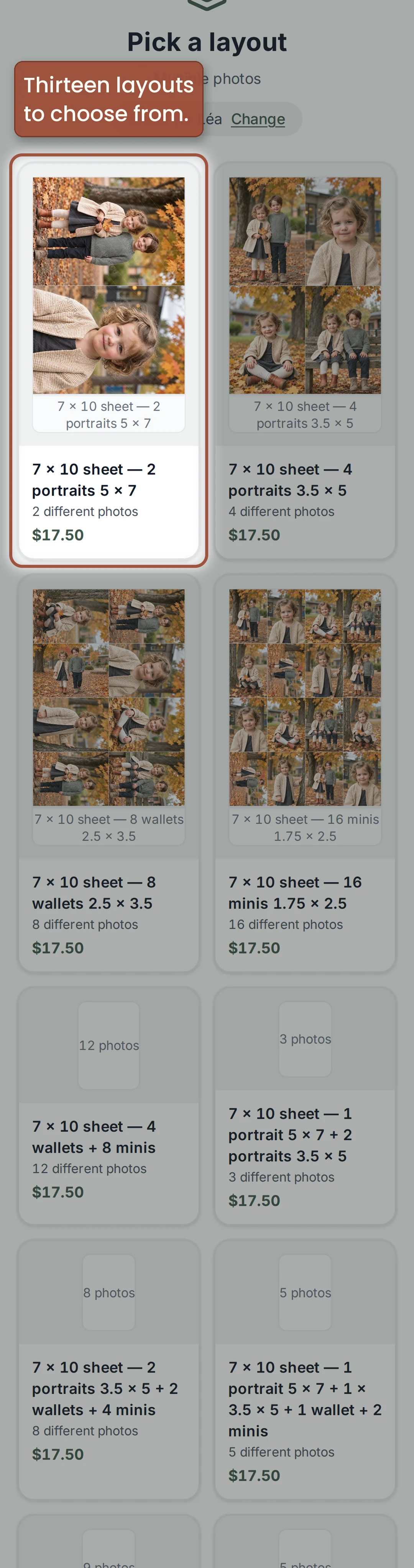
Two 5 × 7 portraits, four 3.5 × 5, eight wallets, sixteen minis, or mixes. Each layout is shown with your own photos, price displayed.
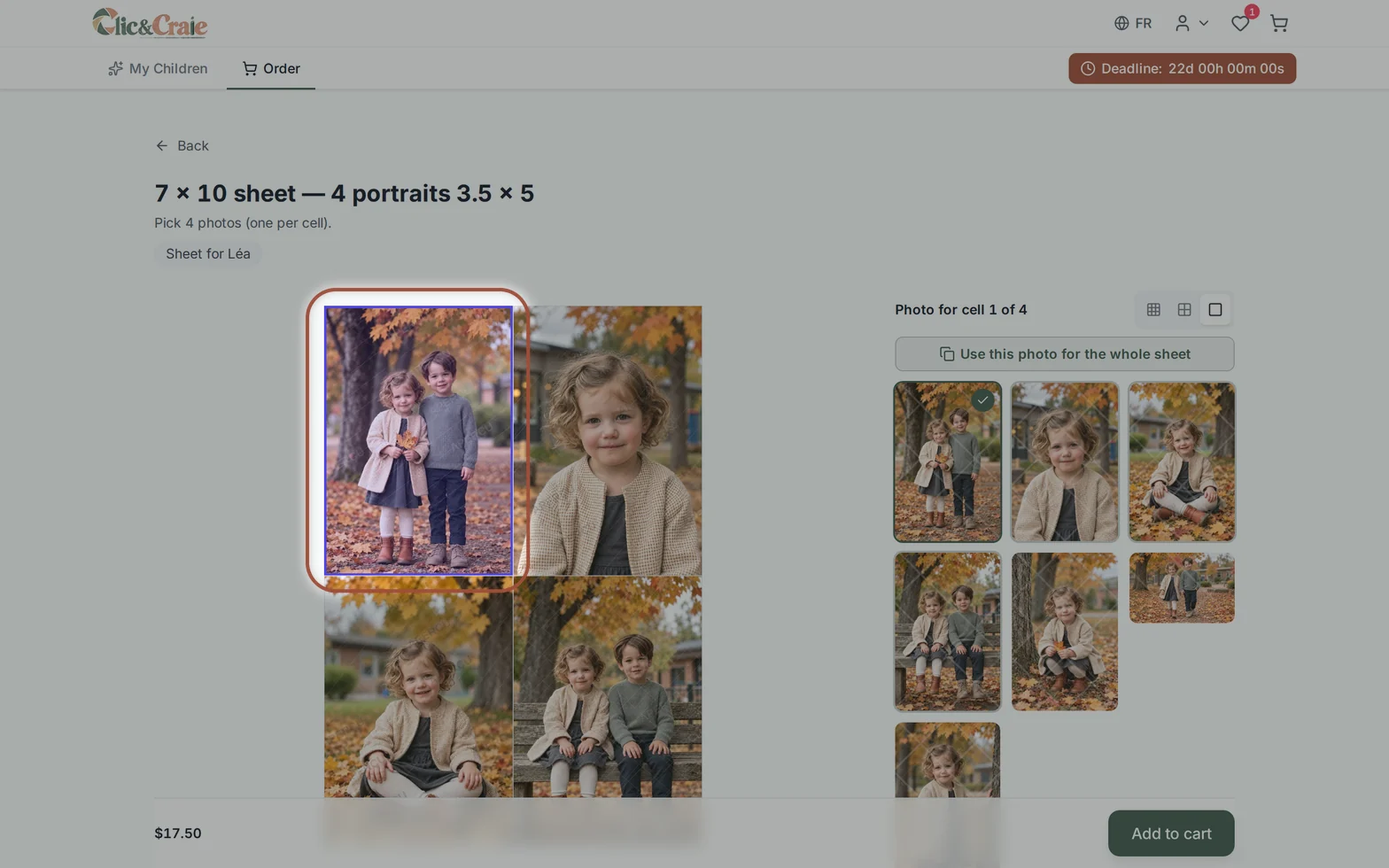
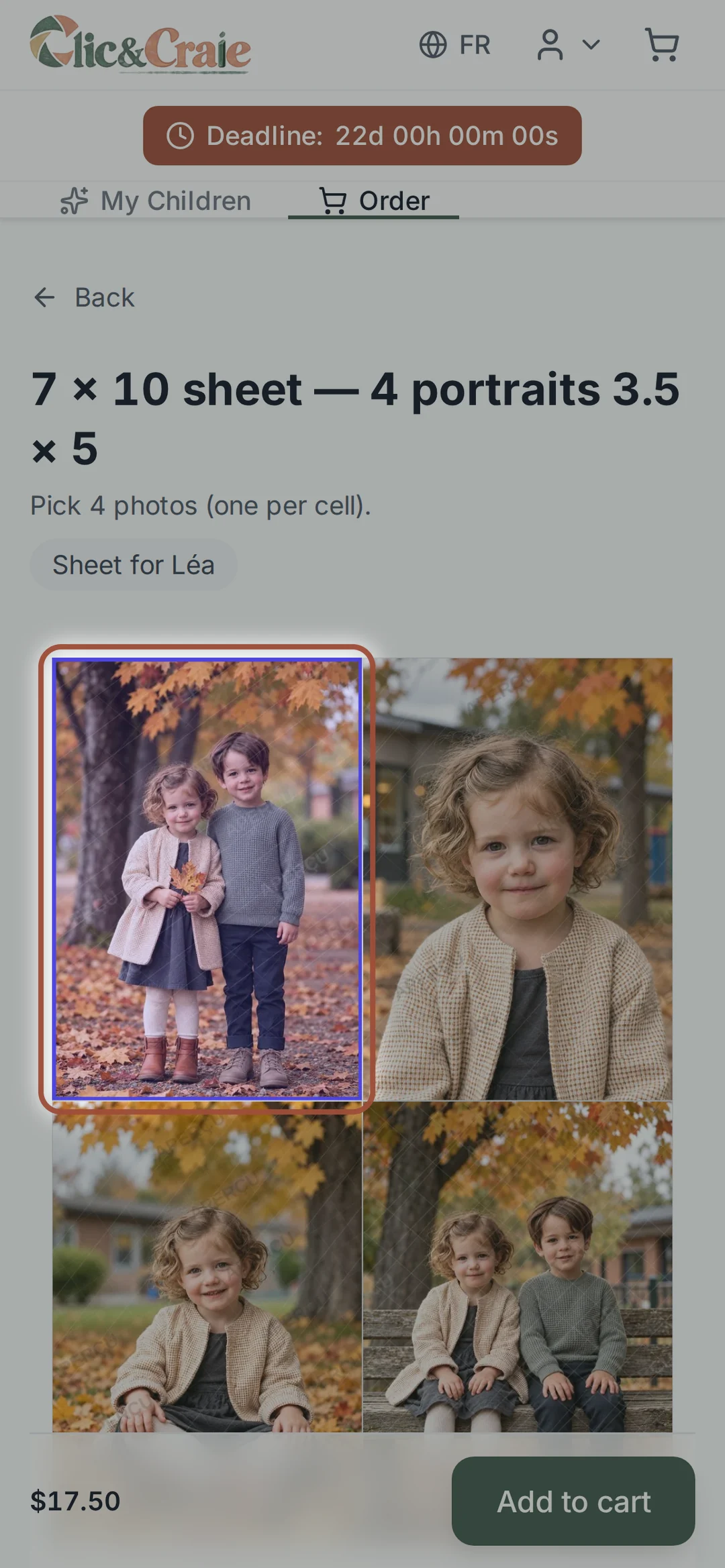
17Build the sheet cell by cell
Tap a cell in the preview, then the photo you want in it: the preview updates right away. Use this photo for the whole sheet fills everything at once. The preview matches the print.
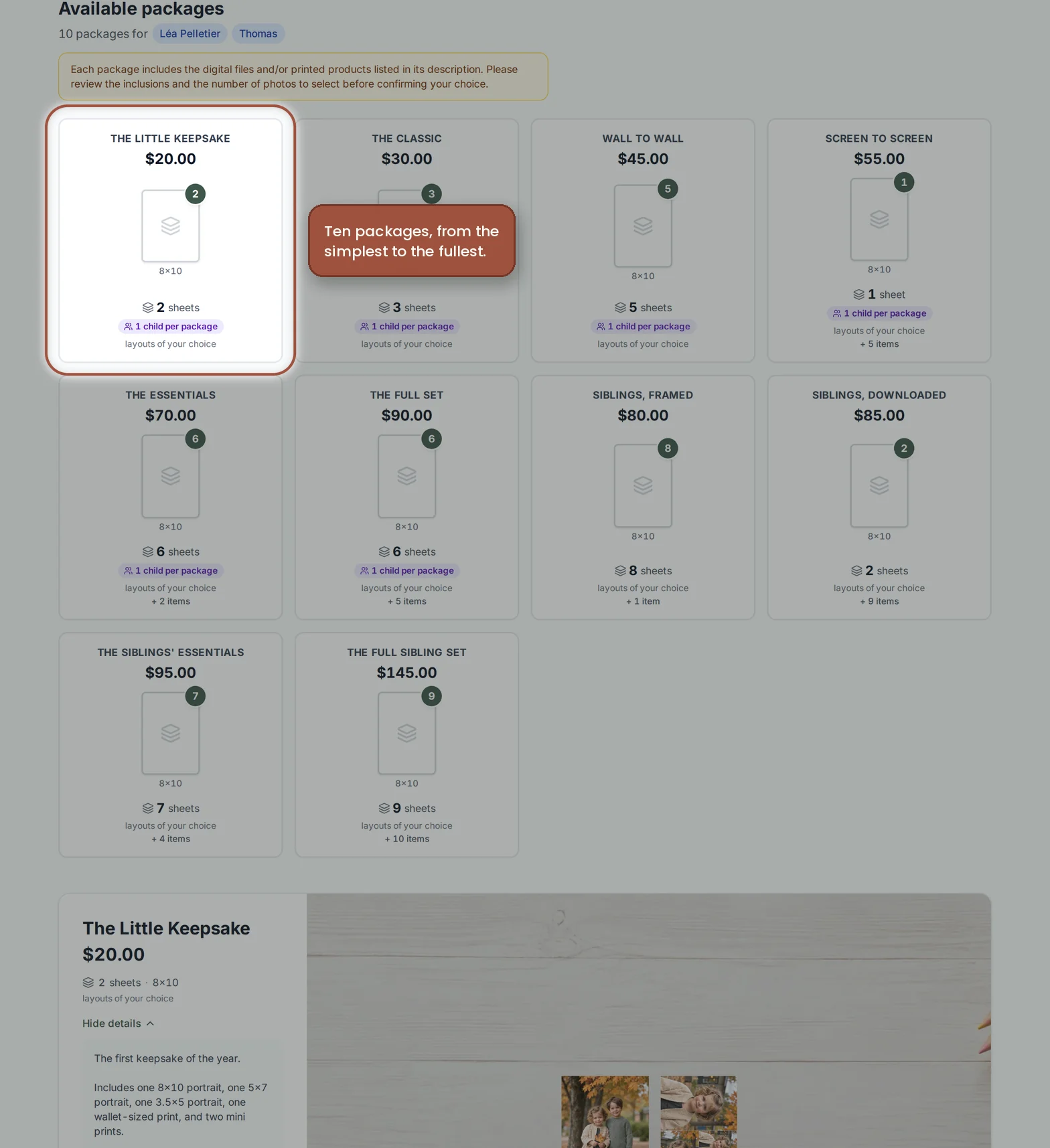
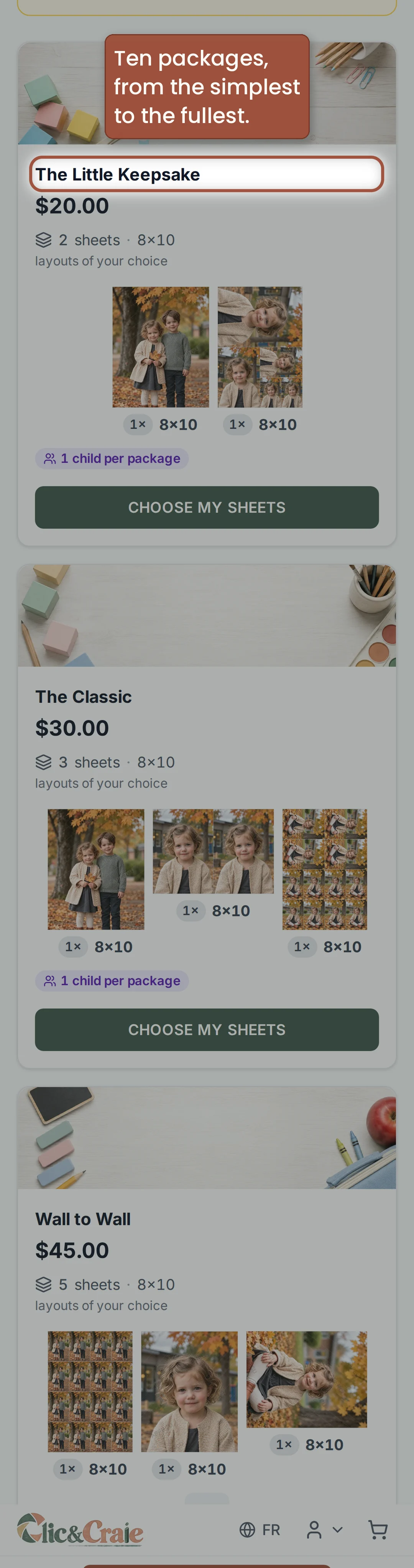
18The packages
Each package says what it contains: the number of sheets, the sizes, the digital files and the products included. Sibling packages only appear when two access codes are entered in the same gallery.
19Your sheets arrive already assembled
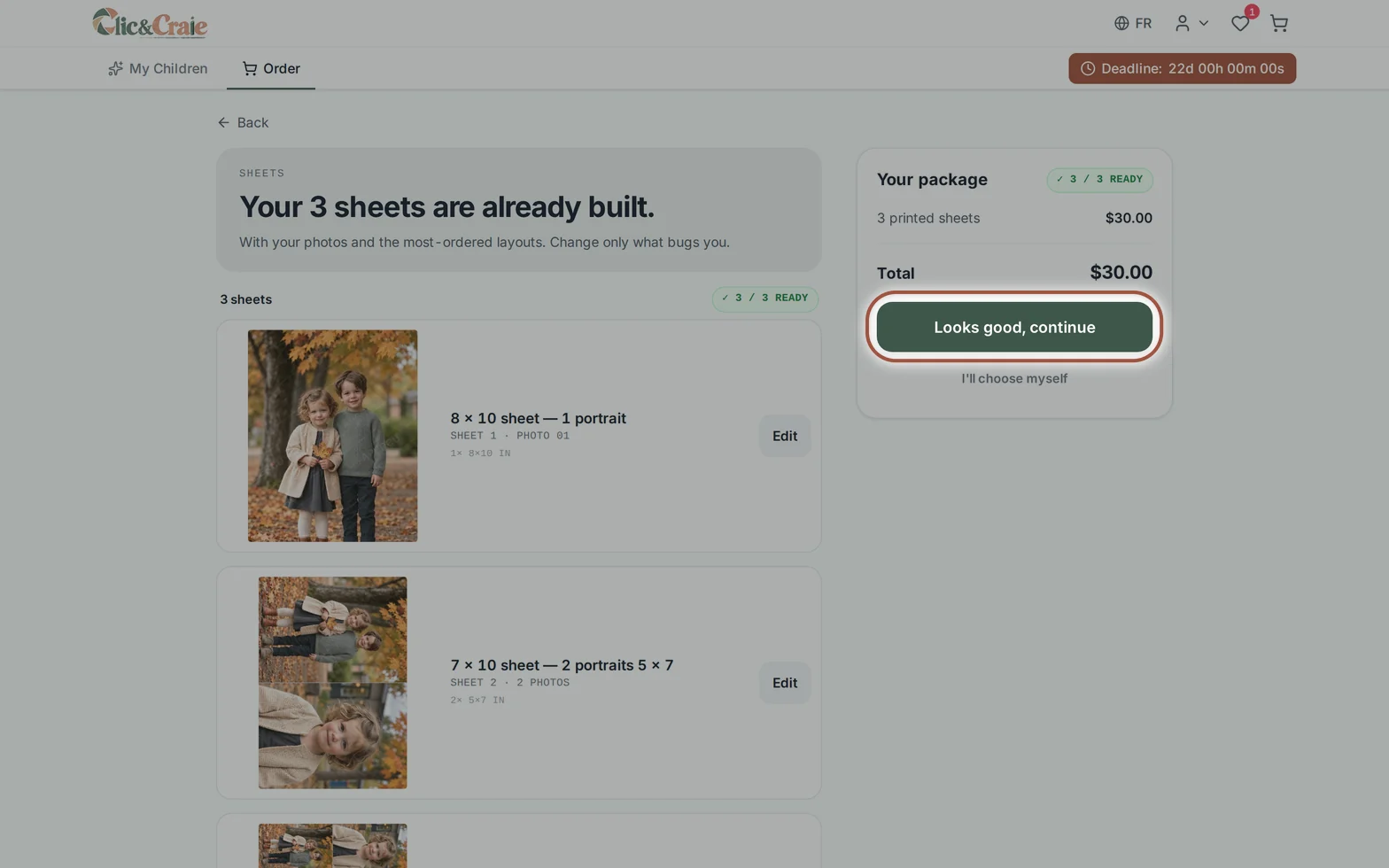
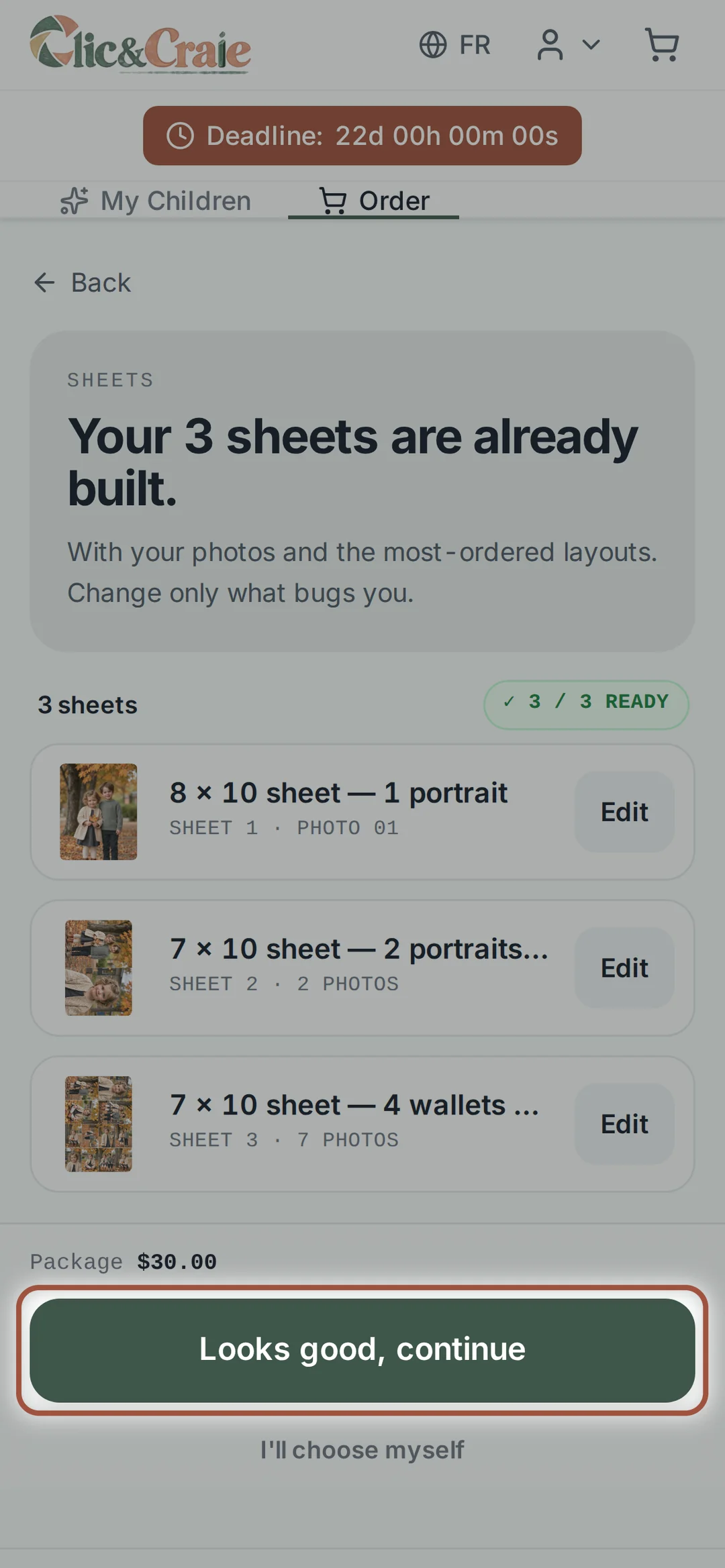
Once the package is chosen, the shop assembles your sheets with your photos and the most requested layouts. In a sibling package, a single sheet can bring both children together. If you like it all: Everything looks good, continue. Otherwise, I’ll choose myself starts over.
20Changing a sheet in the package
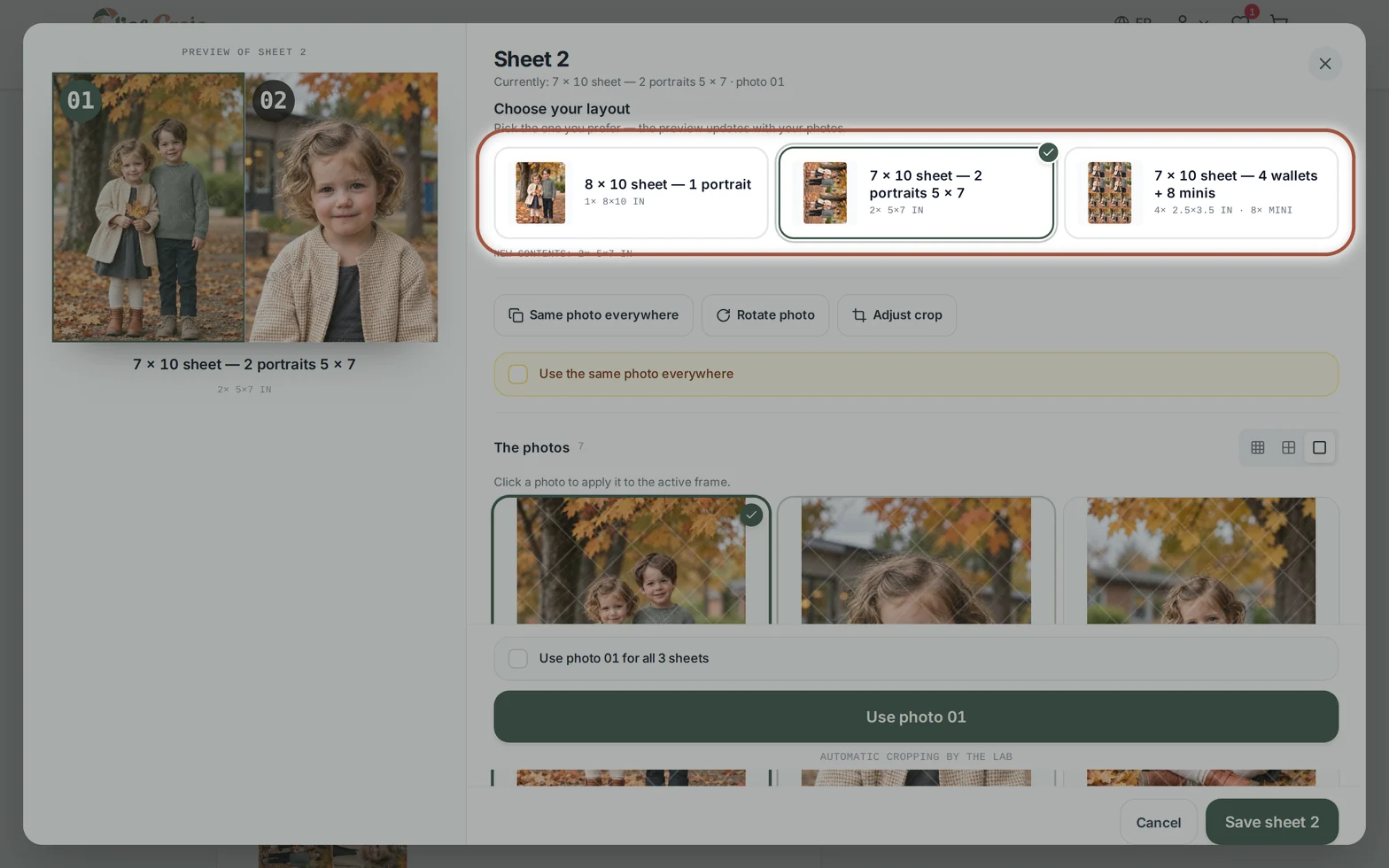
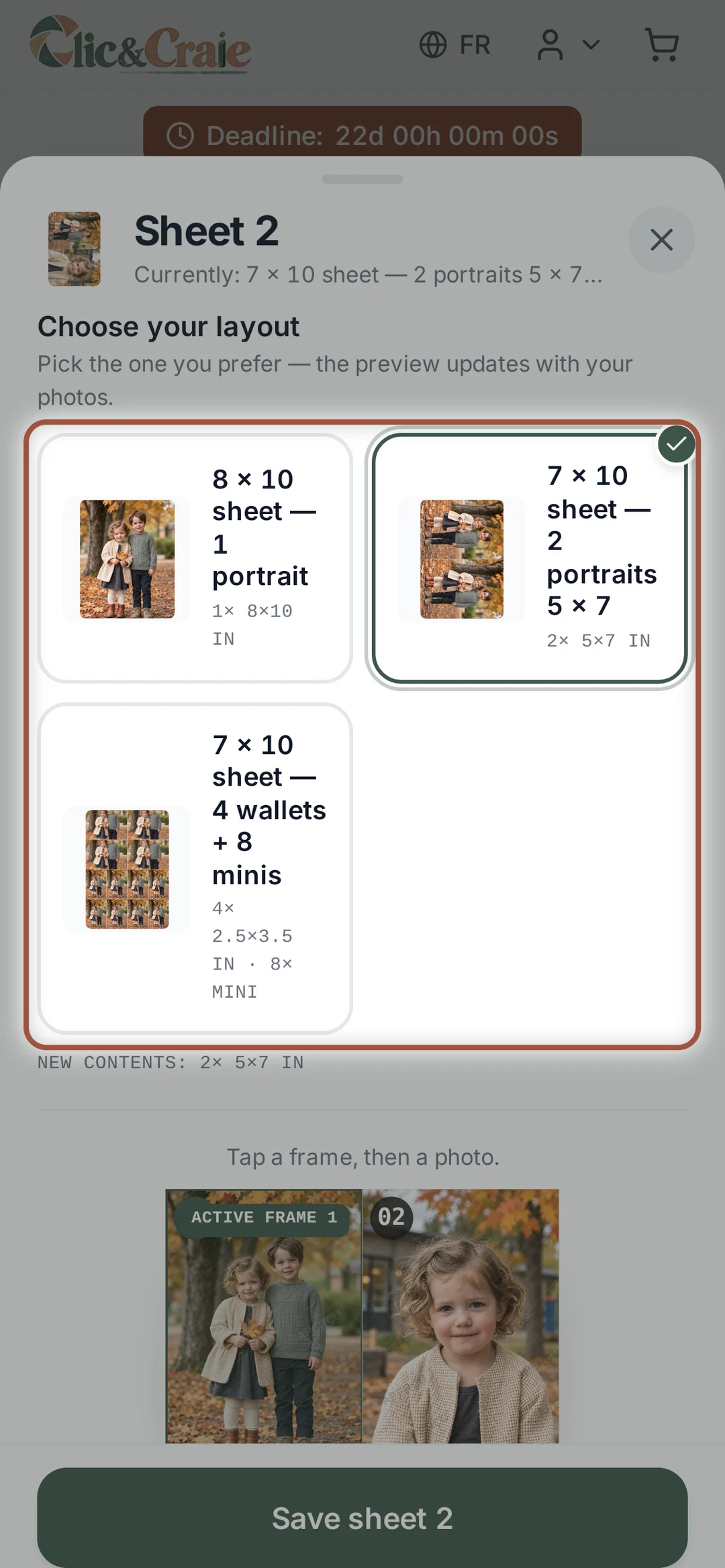
Edit on a sheet opens the same editor as in step 17 — and you can even change that sheet’s layout there. The preview on the left follows every choice you make.
21Gift products
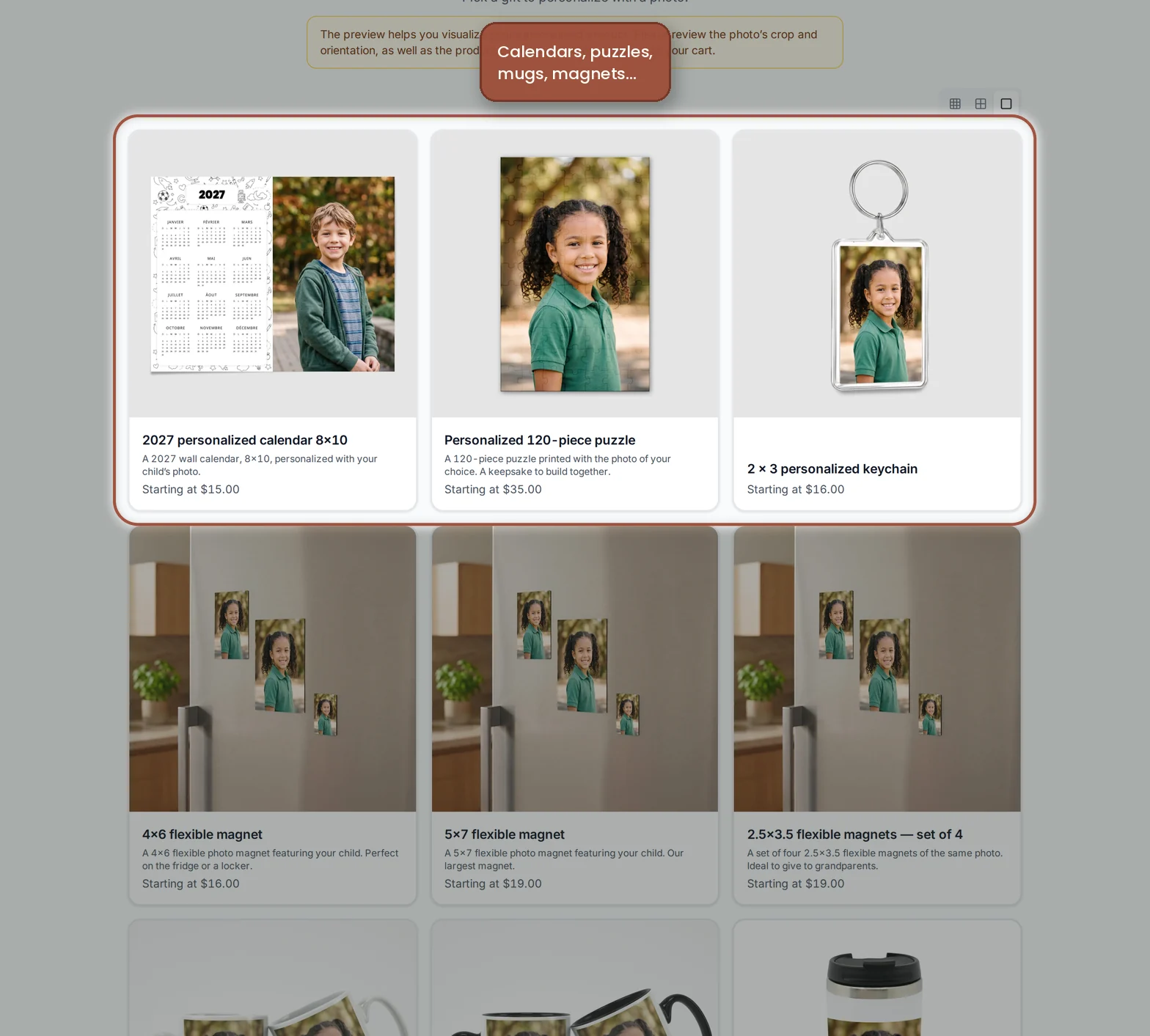
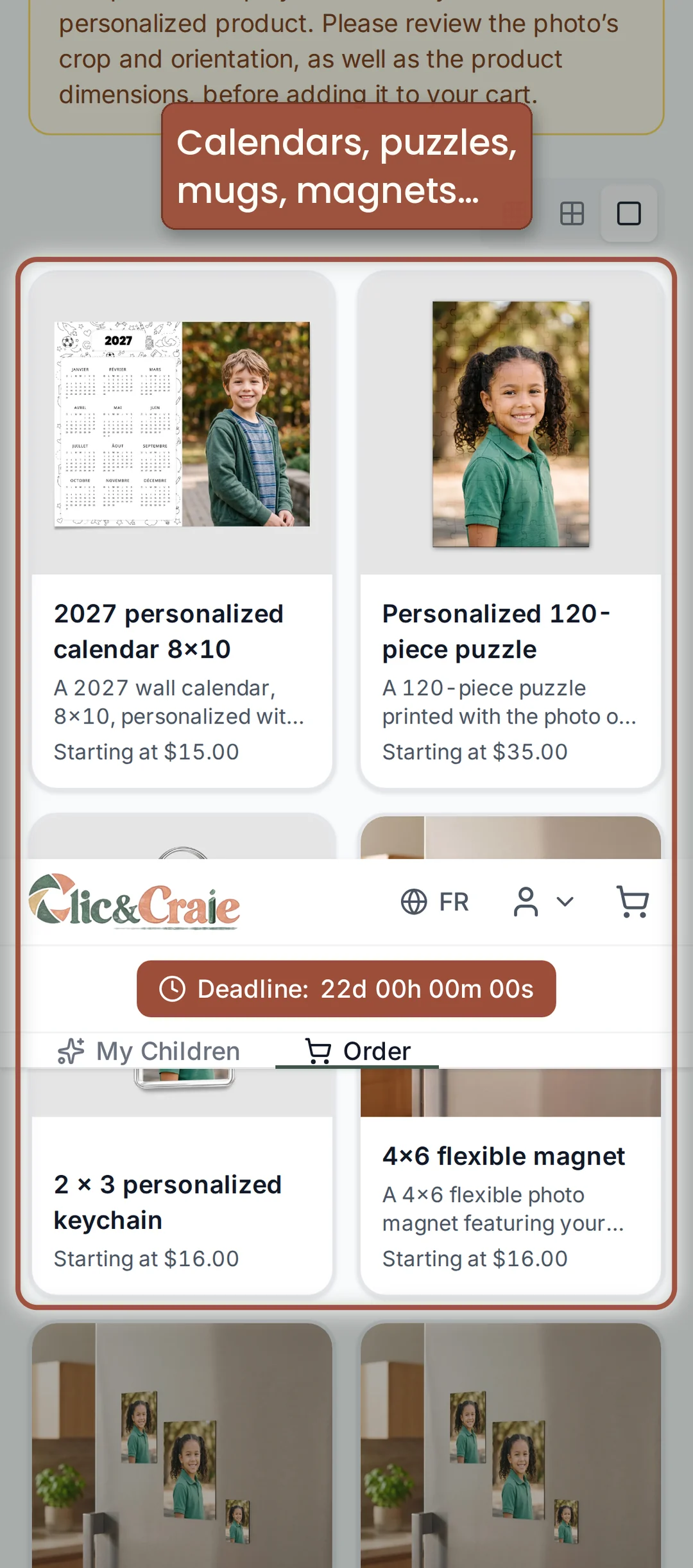
Calendar, puzzle, magnets, mugs, bottles, keychains. You choose the product, then the photo that goes on it, and the preview shows you the result before you add to the cart.
22Frames
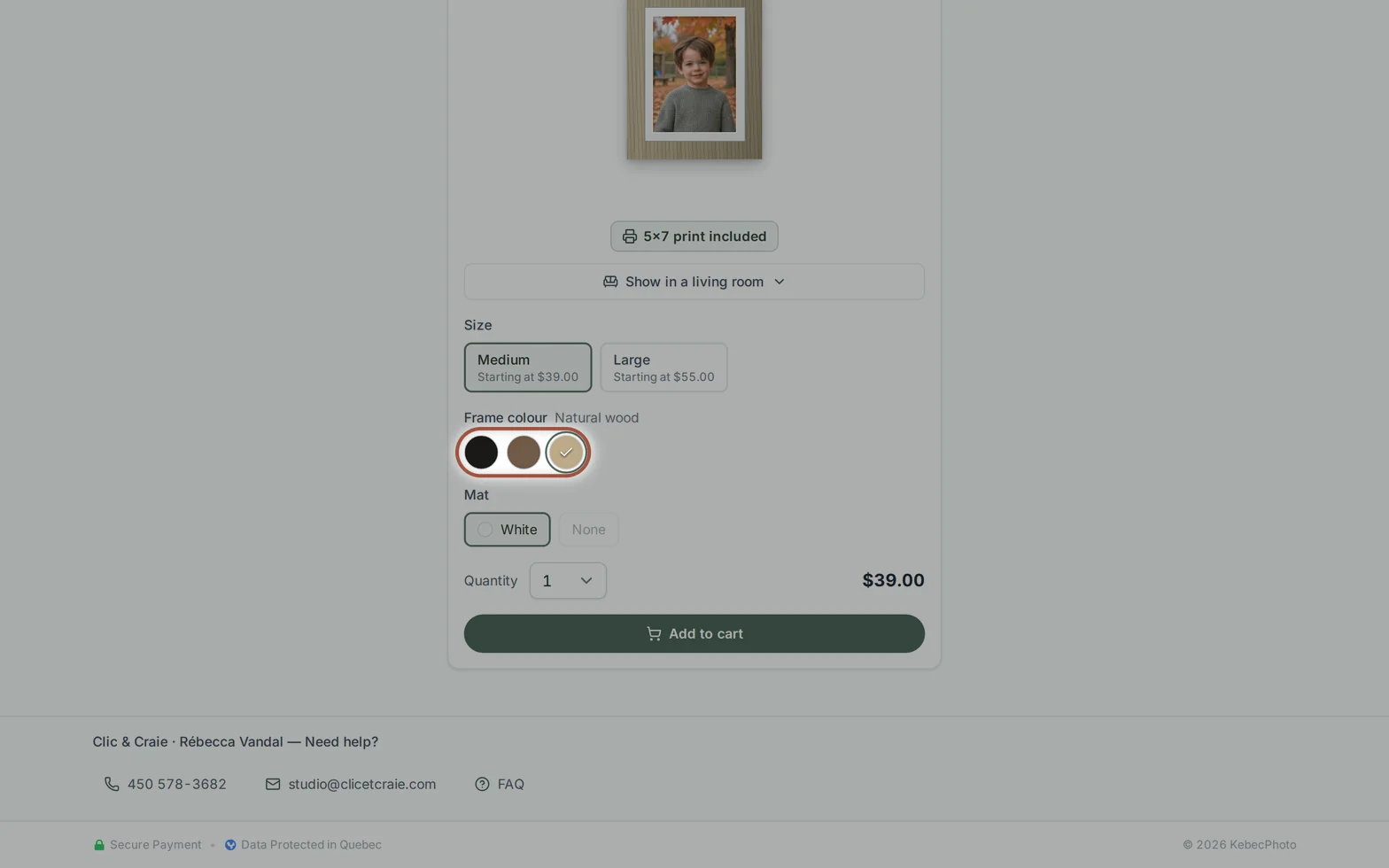
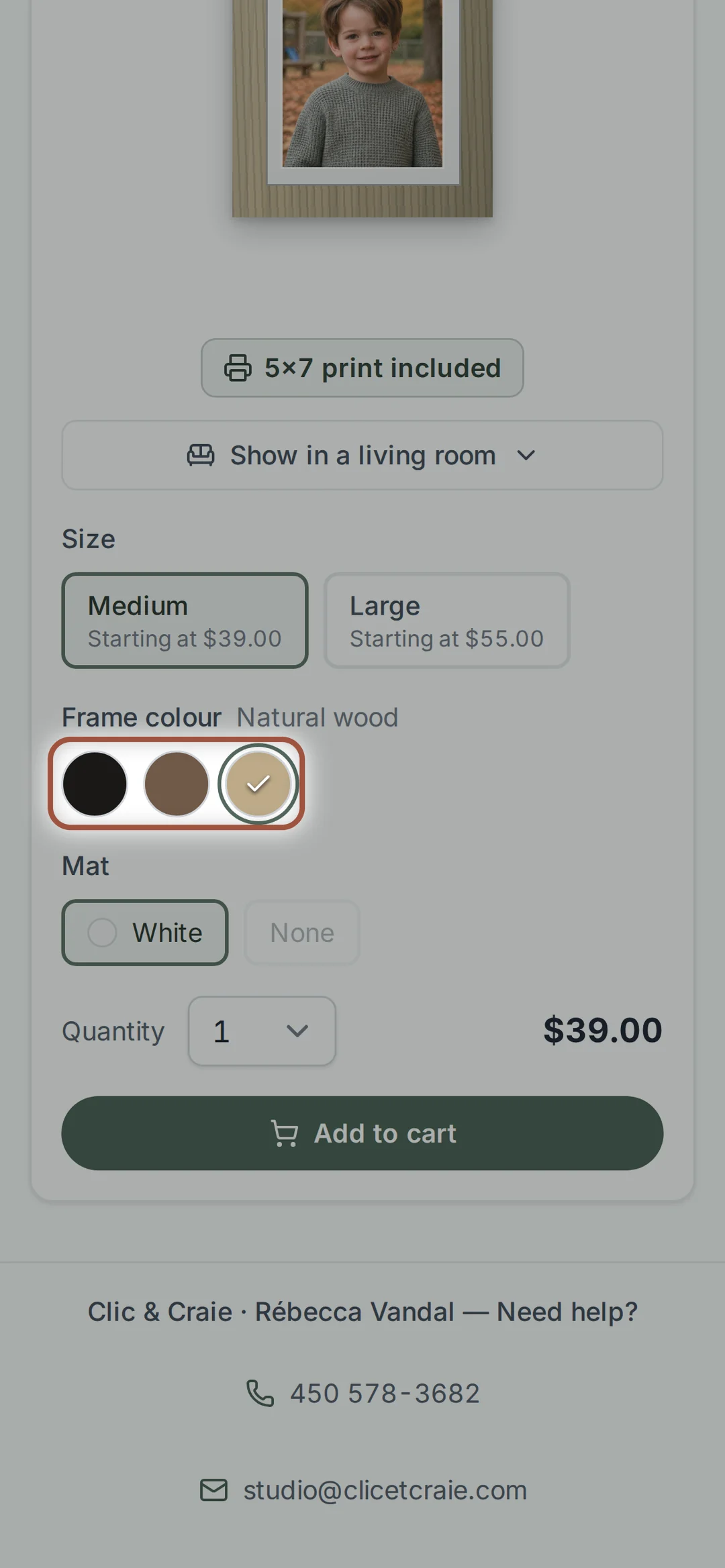
Your portrait arrives mounted under a white mat, ready to hang. Choose the photo, the size and the moulding: black, walnut or natural wood. See it in a living room shows the frame at real scale. The print is included.
Check, pay, receive

23Check your cropping
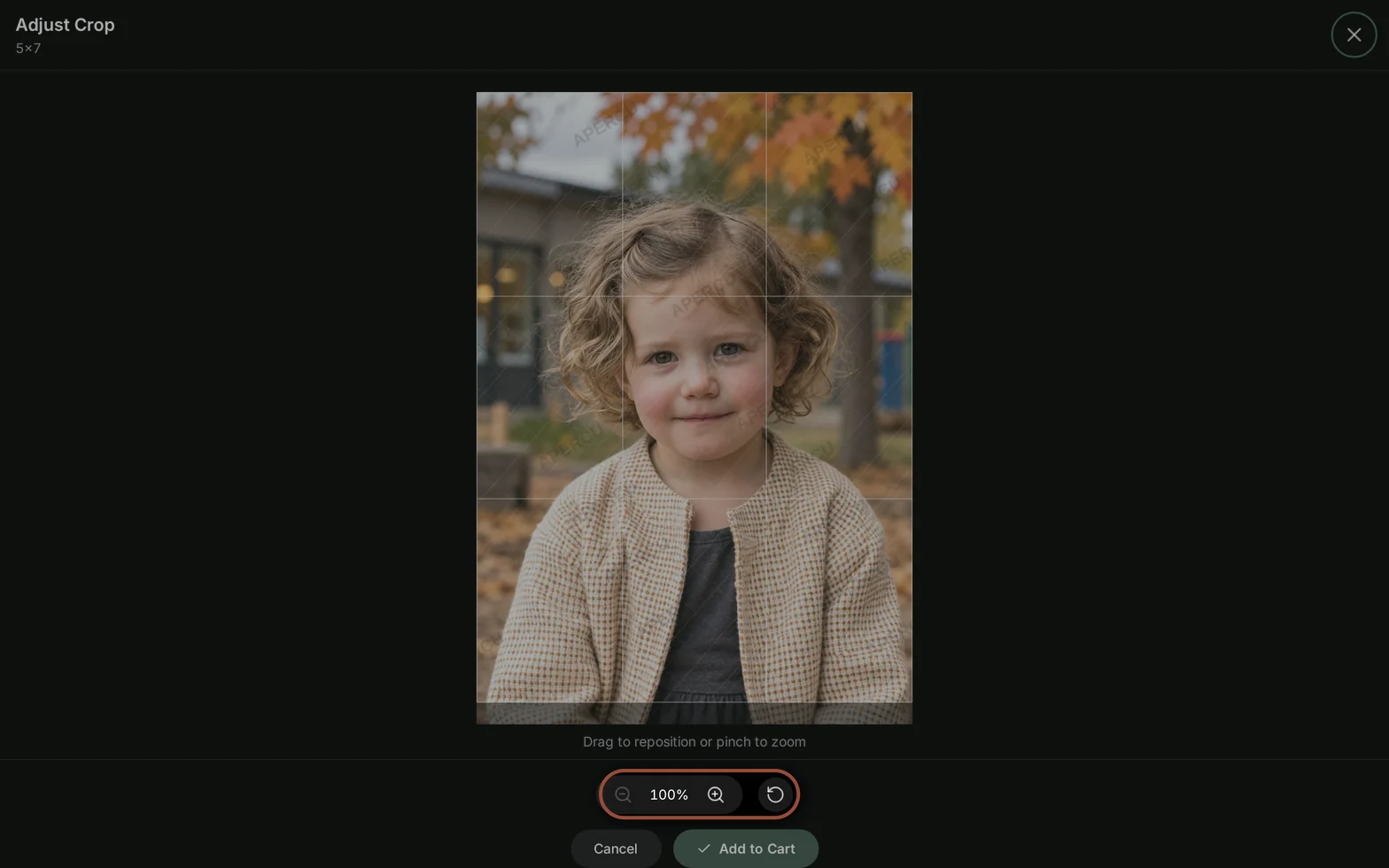
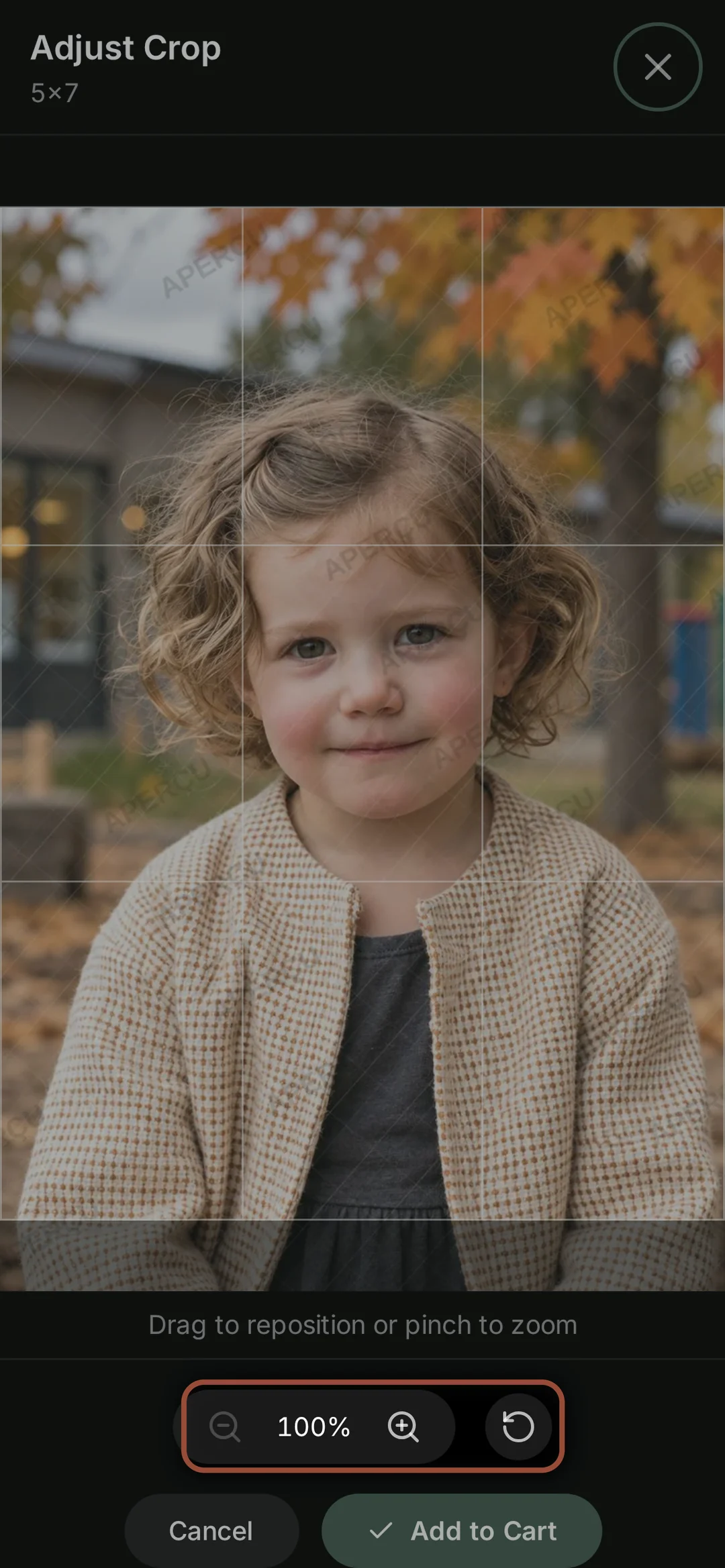
A 5 × 7 and an 8 × 10 do not have the same proportions: the same photo has to be cropped to fit each one. When that happens, the shop shows Cropping required and the button becomes Crop and add. In the cart, Review cropping lets you check everything one last time.
24The photographer’s suggestions
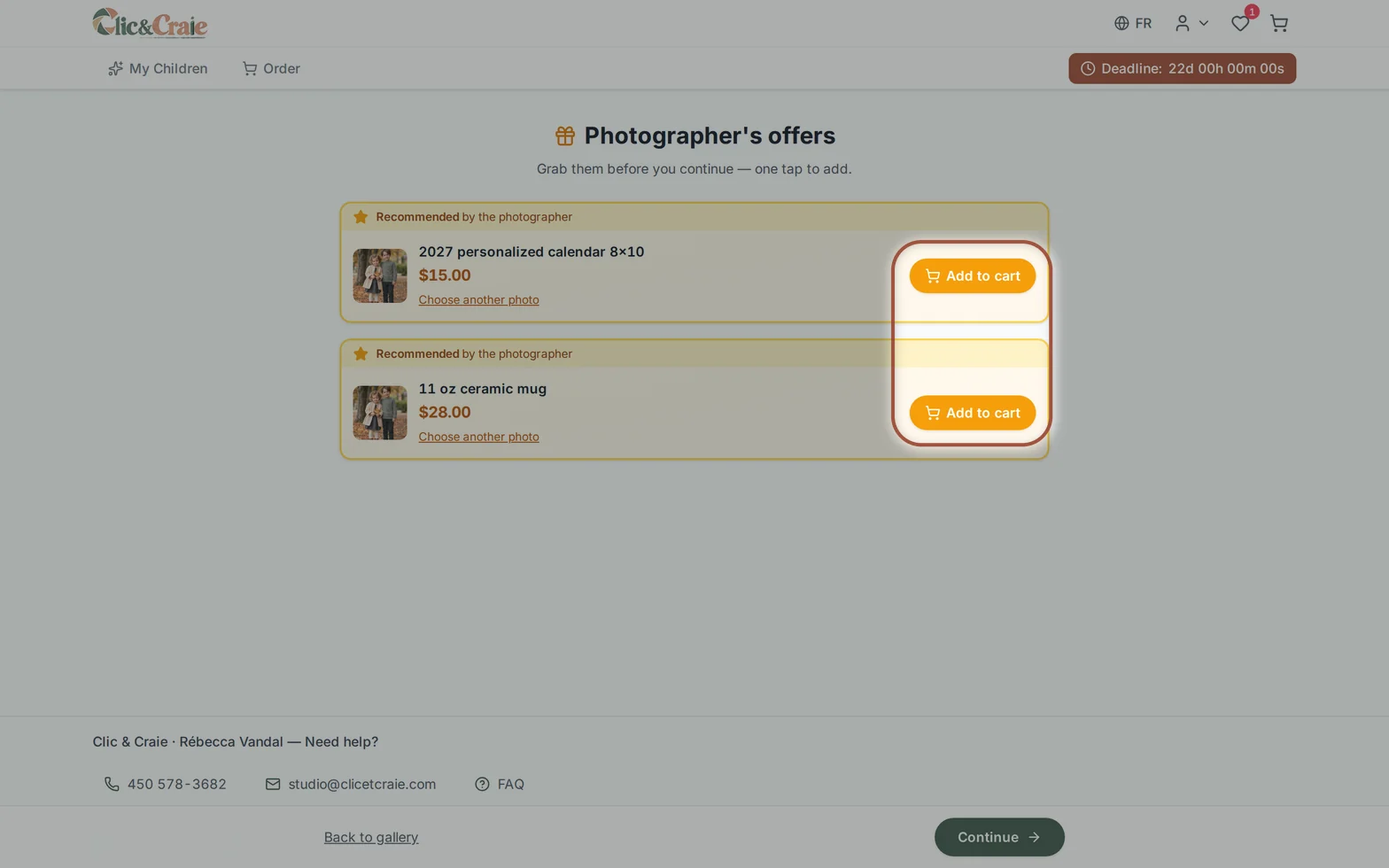
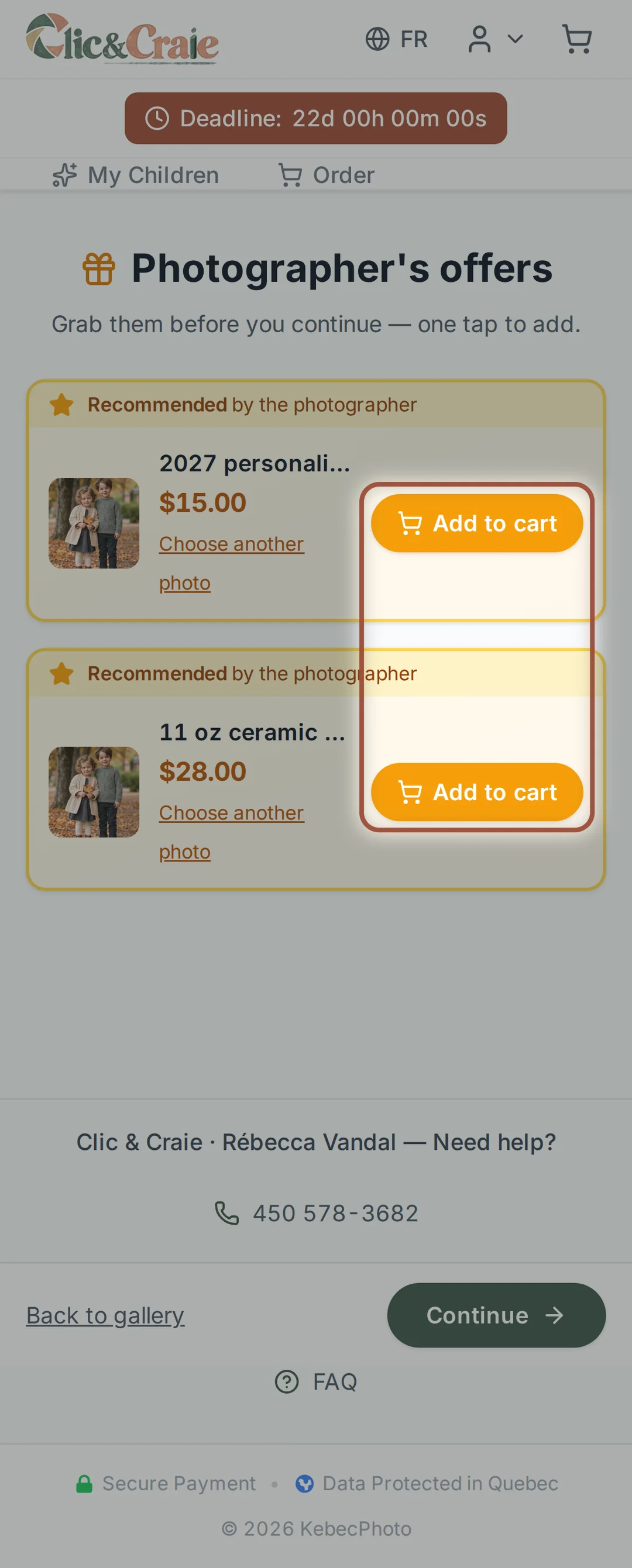
After you add something, the shop sometimes suggests a product. You can add it in one click, change its photo, or simply choose Continue.
25The cart
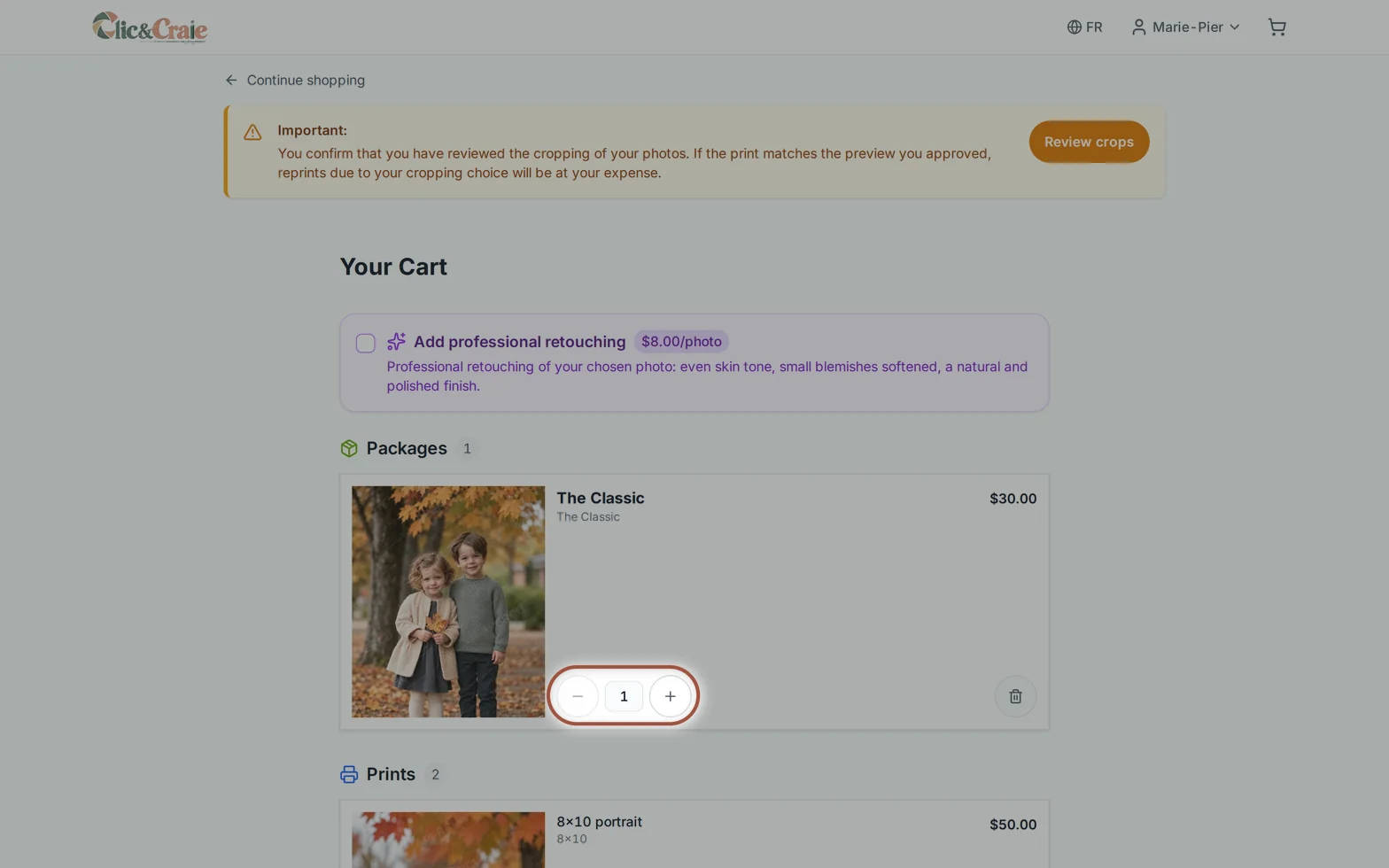
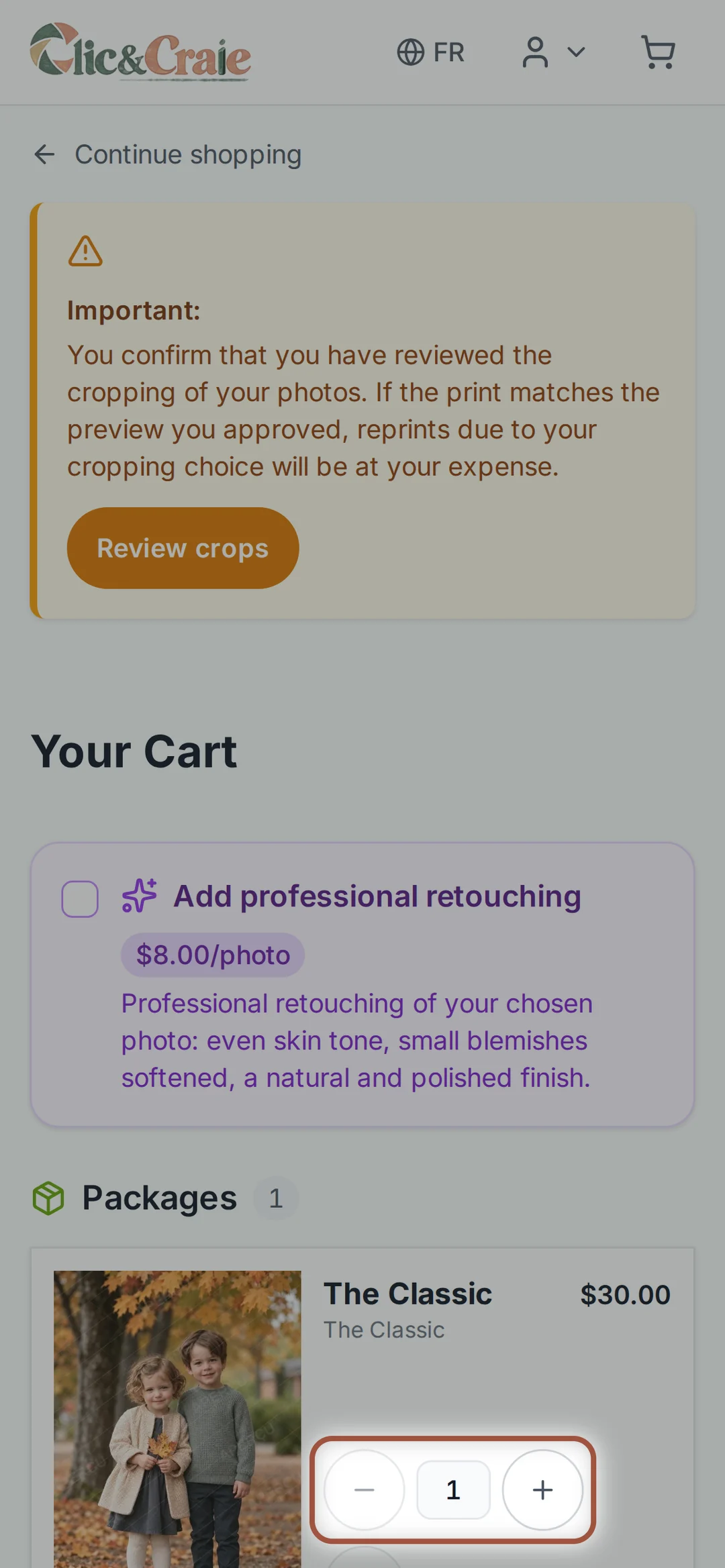
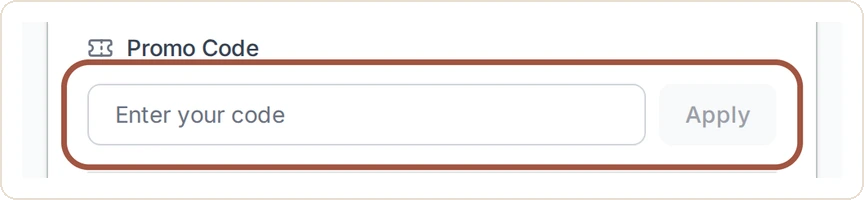
Every item with its photo, quantity and price, grouped by category. Package discounts appear in the summary. At the top, a box offers professional retouching at $8 per photo: even skin tone, small blemishes softened, a natural result. Lower down, a field for a promo code, another to leave a comment, and the tax breakdown.
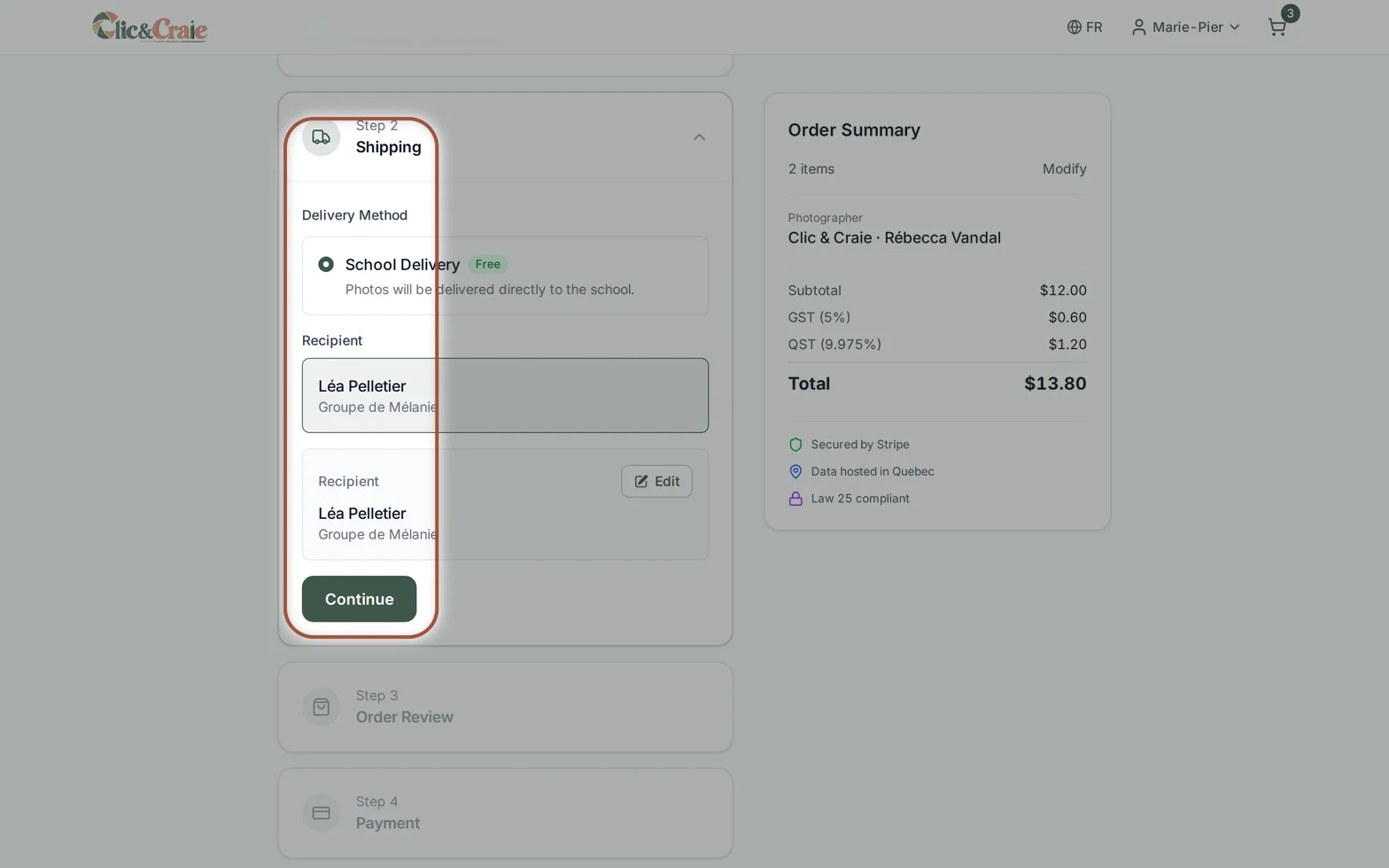
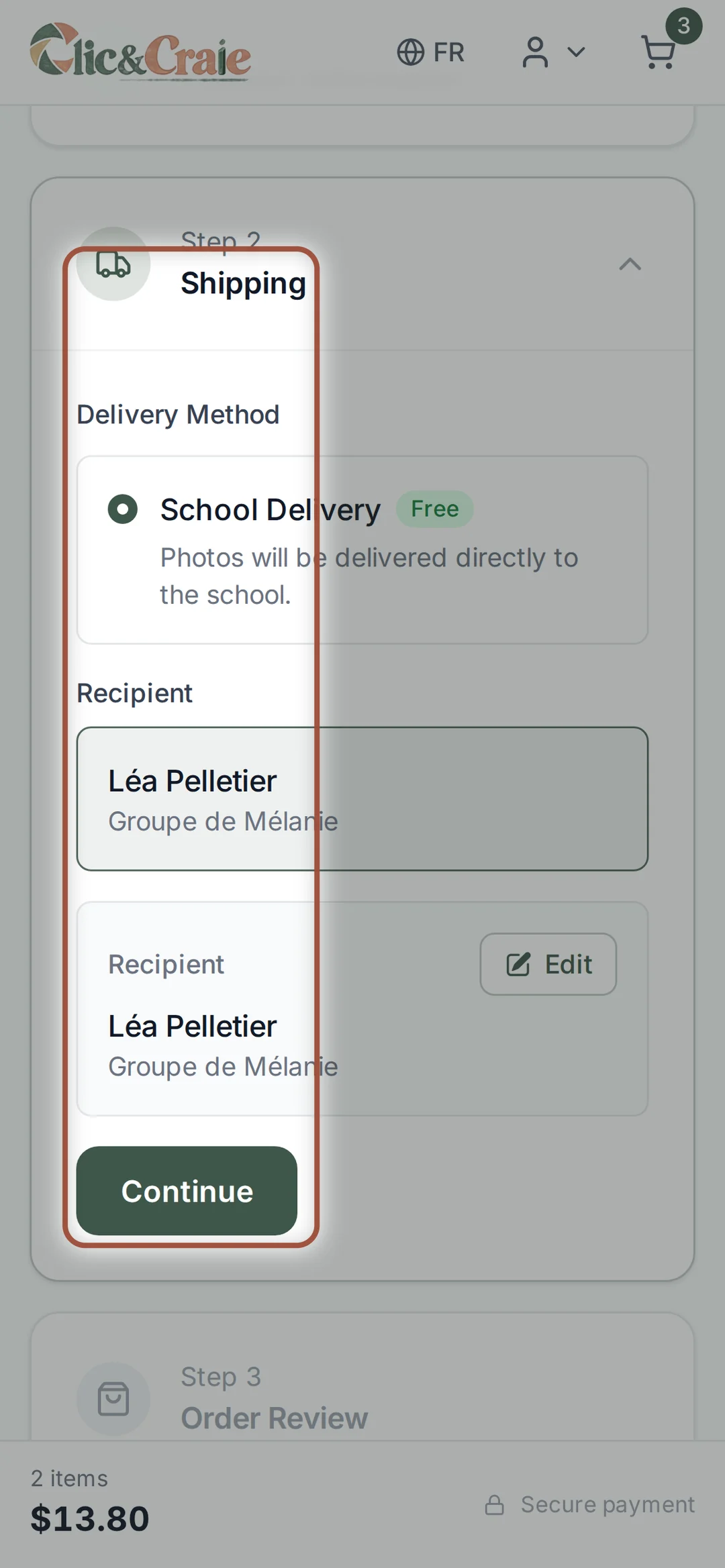
26Checkout, in four steps
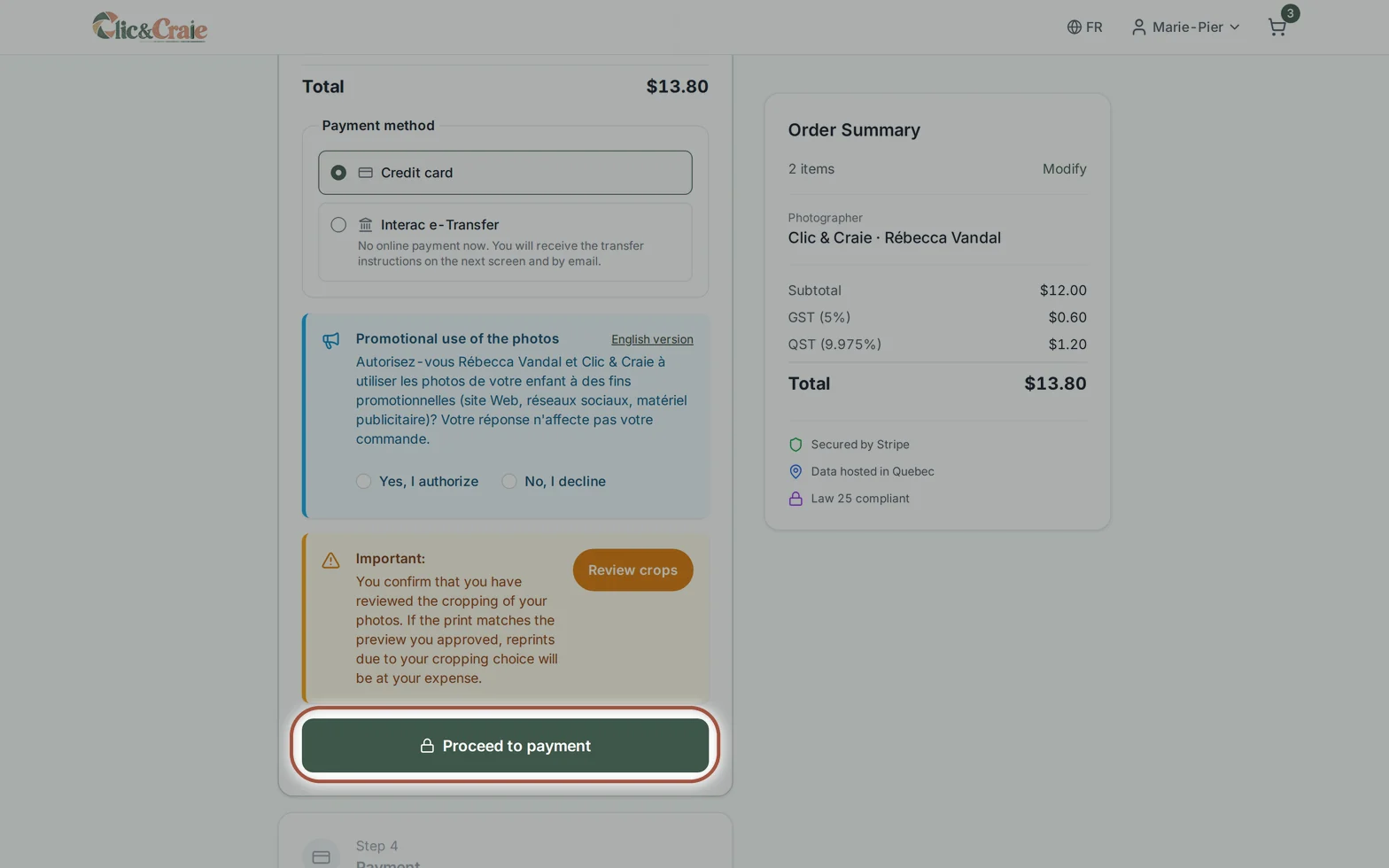
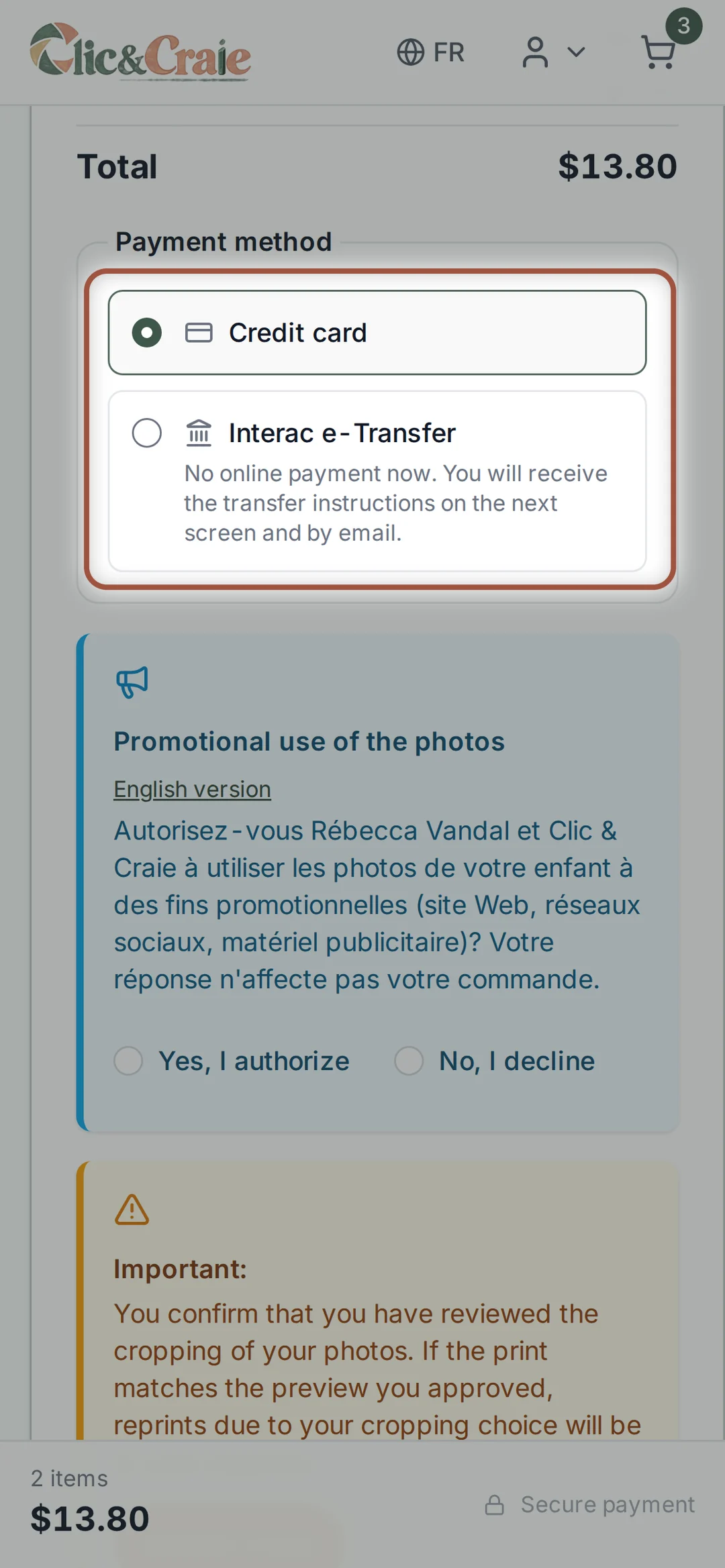
Your contact details, delivery, one last look at the order, then payment. Before the deadline, pickup is free at the school or daycare; after it, the order is shipped to you with a $15 fee — a single fee whatever the size of the order. You pay by credit card or Interac e-Transfer. A confirmation email arrives right away; your digital files then wait for you under My downloads.
27Receiving your order
Ordered before the deadline: everything is produced together once the sale closes and delivered free of charge to the school or daycare, which hands out the packages. Your envelope also contains the group photo printed at 5 × 7, given to every child, even without a purchase. Ordered after the deadline: the order is shipped to your home with a $15 fee — a single fee, whatever the size of the order. Digital files arrive by email as soon as the payment is confirmed.
Frequently asked questions
Find your answer quickly
Search for a word like “code”, “delivery”, “digital” or “retake”.

How do I open my child’s private gallery?
Scan the QR code on the card given to your child, or go to galerie.clicetcraie.com. Enter the code in the format XXXX-XXXX, then choose “View my photos”.
If KebecPhoto asks for your contact details, enter your first name, last name and email address. The phone number is optional.
My access code doesn’t work. What should I do?
Check the XXXX-XXXX format, use the most recent card, remove any spaces, and try scanning the QR code directly. After several failed attempts, access may be temporarily blocked.
If the problem continues, write to us with the child’s full name, their school or daycare, and their group.
I lost the card or the code. Can you find it?
Oui. Write to us with the child’s full name, their school or daycare, their group, your name and your email address. We check the details before sending the code again.
I have several children. Can I put their photos together?
Yes, when the galleries can be combined. Choose “Add another code” on the access page and enter each child’s code. That is also what makes the sibling packages appear — they do not exist when only one child is registered.
If KebecPhoto refuses a code or asks for a separate order, complete the orders separately or get in touch.
How do I order photos?
Open the gallery, then choose “Order”. The shop first asks what you want: the free photos, a digital file, prints, a package, gift products or a frame. It then guides you all the way to the cart. You can also follow the step-by-step written tutorial.
What does the little heart do?
It sets a photo aside, without buying anything. Your favourites are then gathered in one place, under “My favourites”, so you can find them again or show them at home before deciding.
What products and prices are available?
Print packages from $20, sheets from $8, single prints from $5, digital files from $20 with volume pricing (six photos $85, then $10 each), framed portraits with a mat, and personalized products — mugs, bottles, magnets, puzzles, calendar, keychains.
Choices and prices can vary from one session to the next. What the gallery shows at the time you order is what applies.
Do the prices shown include taxes?
No. All prices in the shop are shown before taxes. Taxes are added at checkout, and the exact total appears before you confirm your order.
Are there any discounts or promotions?
Packages are the best value : each one brings several products together for less than buying them separately, and the saving is shown in the shop.
Staff at the school or daycare — teachers, educators, management, daycare service — receive a code for one free digital photo. The code appears in the welcome message of the Équipe group gallery and goes in the “Promo Code” field at the Review step, just before payment.
Is there a minimum order?
No. You can order a single print if that is all you want. Delivery to the school or daycare stays free as long as you order before the deadline.
Is the group photo free?
Yes. Every child and staff member receives a traditional group photo printed at 5 × 7 in, free and with no obligation to buy. The high-resolution digital file of the group photo is offered too, to every family and every staff member — often in two versions, the classic one and the playful one. It is delivered to the school or daycare with the group delivery, then handed out there.
To get the file: open your child’s gallery, go to Order, then to the Free photos door. Tap Add for free, go to the cart and complete the order at $0 — nothing else to buy. If you have two children in two groups, there are two photos.
Does a digital photo include a paper print?
No. A digital purchase includes only the high-resolution file. To receive a paper version, add the print size you want or choose a package that includes prints.
Can I crop the photos?
Yes. The 4 × 6 in, 5 × 7 in and 8 × 10 in sizes do not share the same proportions. When the size you pick requires it, a “Cropping required” notice appears and the button becomes “Crop and add”: an editor opens so you can reposition and enlarge the image. In the cart, “Review cropping” lets you check everything again before paying.
If a resolution warning appears, choose a smaller size or a different photo.
Will the watermark appear on my order?
No. The watermark only protects the previews. Purchased digital files and printed products are produced without it.
How will I receive my digital files?
An email with the download link is sent when the files are ready. You can also open the KebecPhoto portal, choose “Your account” → “Account login”, enter the email address used for the order and use the 6-digit login code you receive.
Your files are then under “My downloads”. Check your junk mail, and keep your own backup copy.
Can I print or share my digital files?
Purchased files are delivered in high resolution without a watermark and may be printed for personal use. Copyright remains with Rébecca Vandal and Clic & Craie. For commercial or advertising use, please ask for permission.
What payment methods are accepted?
Two methods at checkout: credit card or Interac e-Transfer. With the transfer, no online payment is made at that moment: you receive the instructions on the next screen and by email. Card payments are processed securely by Stripe; Clic & Craie and KebecPhoto do not keep your card number.
Applicable taxes are calculated and shown before you confirm.
I didn’t receive the confirmation email. What should I do?
Look in your junk or spam folder first : that is where it usually is. Check the address you typed at checkout too — one missing letter is enough to lose it.
If nothing arrives, write to us at studio@clicetcraie.com with your child’s name and the date of the order, and we will send the confirmation again.
Can I get a receipt or an invoice?
The confirmation email you receive after payment serves as your receipt. If you need an itemised invoice, or one made out to another name, write to us at studio@clicetcraie.com.
What is the difference between the deadline and the archiving date?
The deadline is the end of the group order, and it is what determines free delivery to the school or daycare. The archiving date is the last planned day of access to the gallery.
After archiving, photos are no longer guaranteed to be orderable or downloadable. All images must also be destroyed no later than 30 June of the school year in which the session took place. Si une date d’archivage antérieure est affichée, c’est cette date qui s’applique.
How does free delivery to the school or daycare work?
Printed orders paid before the deadline are grouped together, produced after the sale closes, and delivered free of charge to the school, CPE or daycare.
Double-check the child’s name and group so the packages are easy to hand out.
Can I order after the deadline?
Yes, as long as the gallery is not archived, the products are available, and the files have not reached their mandatory destruction date. Free delivery to the school or daycare is no longer offered, though.
The order is shipped to your home. A $15 delivery fee applies — a single fee, whatever the size of the order.
How long does it take to receive the prints?
Group-delivery orders are produced once the sale closes, then handed over together at the school or daycare. Orders shipped to your home leave once they are produced.
You receive an email at each step, and your order status stays visible in your account.
How do I track my order?
Open the KebecPhoto portal, choose “Your account” → “Account login”, then enter the email address used for the order. A 6-digit login code will be sent to you.
Under “My orders”, the status can be: Paid, Processing, In production, Shipped or Delivered.
Can I change or cancel a paid order?
A paid order is normally final. If you spot a mistake, get in touch right away. We will see what is possible if it has not yet gone to the lab, without being able to guarantee a change or a cancellation.
Digital files are generally non-refundable once the download has been activated, except in the case of a technical problem.
My order is incomplete, incorrect or damaged. What should I do?
Get in touch within 30 days of delivery. Include the order number, the child’s name, the school or daycare, the item concerned, and attach a clear photo of the product and the packaging if there is damage.
Are the photos retouched?
Yes. Every portrait gets a natural hand retouch. Small temporary blemishes can be softened while keeping the child’s real features and appearance.
If you notice something important before ordering, tell us which photo it is.
What is the professional retouching offered in the cart?
At checkout, professional retouching is offered as an option, at $8 per photo. It is optional : your photos are already processed before they go online.
My child was away, or the photos don’t work for me. What now?
A retake session is offered free of charge if the child was away or if the parent would like new photos, depending on scheduling. The usual prices and products then apply to the new photos. Get in touch to plan the retake.
Are the photos and the information protected?
Yes. The gallery is opened with a code, visits are logged, and previews are watermarked. KebecPhoto states that photos, lists and codes are hosted in Quebec.
Photos are matched to each gallery using a unique QR code. Please avoid posting your child’s access code.
Can I recover, download or reprint photos after the school year ends?
No. Under the retention and privacy requirements set by the school service centres, Clic & Craie must permanently delete all photographs from its platforms, systems and storage media no later than 30 June of the school year in which the session took place.
This deletion is an obligation, not a business decision by Clic & Craie. Once the files are deleted, no copy can be restored, downloaded, retouched or reprinted, even on request.
For example, photos taken during the 2026-2027 school year must be destroyed no later than 30 June 2027. So we recommend completing your orders, downloading all your digital files and keeping a backup copy before the archiving date shown in the gallery.
Do you also photograph families?
Yes. Rébecca Vandal also photographs maternity, newborn, child and family sessions. See rebeccavandal.com.
How do I book a session date?
Remplissez le form for schools, CPEs and daycares. We will get in touch to confirm your needs, the type of session, the schedule and availability.
Where can I find information about the school service?
See the school services page for the approach, the backdrops, the products, what is included and the logistics. For preschool services, see the CPE and daycare page.
Why choose Clic & Craie?
Clic & Craie takes care of the planning, the gallery, the payments, family support, production and order preparation.
Parents order directly in KebecPhoto. The school or daycare handles no cash and no paper order forms. Sensitive data is hosted in Quebec and every child gets secure access.
Which area do you serve?
We mainly cover Granby and the surrounding area. If your school or daycare is a little outside the main zone, write to us using the planning form so we can look at what is possible.
Do you provide the equipment for the session?
Yes. We bring the mobile studio, the lighting, the backdrops and the props needed, depending on the type of session chosen.
What happens if the weather doesn’t cooperate?
A backup plan is set during the planning. We can schedule a rain date for an outdoor session, or move the session indoors, into the mobile studio or a naturally lit space in your building.
What does the school or daycare have to do?
Mainly: hand out the access cards, pass along the deadline reminders provided by Clic & Craie, receive the group order and distribute the packages.
No cash handling and no paper forms are required.
What is included for the school or daycare and its staff?
The session on site with all the equipment, and personalised access cards printed for every child. The school or daycare supplies nothing and pays nothing.
The group photo is never sold. One printed 5 × 7 copy is given free with the group delivery, and parents may buy extra copies. The digital file can also be given free, provided every consent required for the children appearing in the photo has been obtained.
One free digital photo for each member of staff — teachers, educators, management, daycare service. A discount code appears in the welcome message of the Équipe group gallery ; it changes from one session to the next, so use the one for your own session.
Free group delivery to the school or daycare for every order placed before the deadline.
How does group delivery work?
Orders paid before the deadline are grouped together and delivered free of charge to the school or daycare. Late orders are shipped directly to the parents’ home, at their expense, with nothing for the school to do.
How is student data protected?
Every child receives a secure access code. KebecPhoto hosts the photos, the lists and the codes in Quebec. Photos are matched to each gallery using a unique QR code.
Access is limited and logged in line with the applicable protection measures.
No question matches your search.